

Disclosure: this article contains an affiliate link. If you buy through it, we may earn a commission.
No, Hedy AI isn’t entirely free because full, permanent ownership comes through a paid lifetime deal, though basic testing options often exist for new accounts. Is Hedy AI free? Determining the answer helps you decide if a one-time purchase fits your workflow better than a monthly bill. The service acts as an intelligent communication partner during live meetings, giving you structured notes and real-time guidance across your devices.
Is Hedy AI free to use

Hedy AI uses a paid lifetime access model rather than forcing users into an endless monthly cycle. This approach lets you pay once to keep using the software for your ongoing work discussions.
Subscription tools often become expensive over several years as service fees quietly add up every billing cycle. A single lifetime purchase protects your software budget from those recurring charges while keeping your historical records intact. When you rely on continuous meeting support, owning an account permanently keeps your running costs predictable and manageable.
You don’t have to worry about sudden service cutoffs caused by expired corporate credit cards or billing disputes. Once your account is active, your workspace remains ready whenever you open your laptop or check your phone.
| Feature Area | Typical Recurring Subscriptions | Hedy AI Lifetime Access |
|---|---|---|
| Payment Schedule | Monthly or annual recurring charge | Single one-time investment |
| Long-Term Expense | Increases continuously each year | Fixed expense that doesn’t grow |
| Platform Upgrades | Included during active billing | Included for supported product lifespan |
| Workspace Continuity | Stops if an invoice fails | Stays open without recurring invoices |
Tip: Review your annual software receipts before buying to calculate if replacing recurring meeting tools saves you money.
What Real-Time Conversation Coaching Actually Does
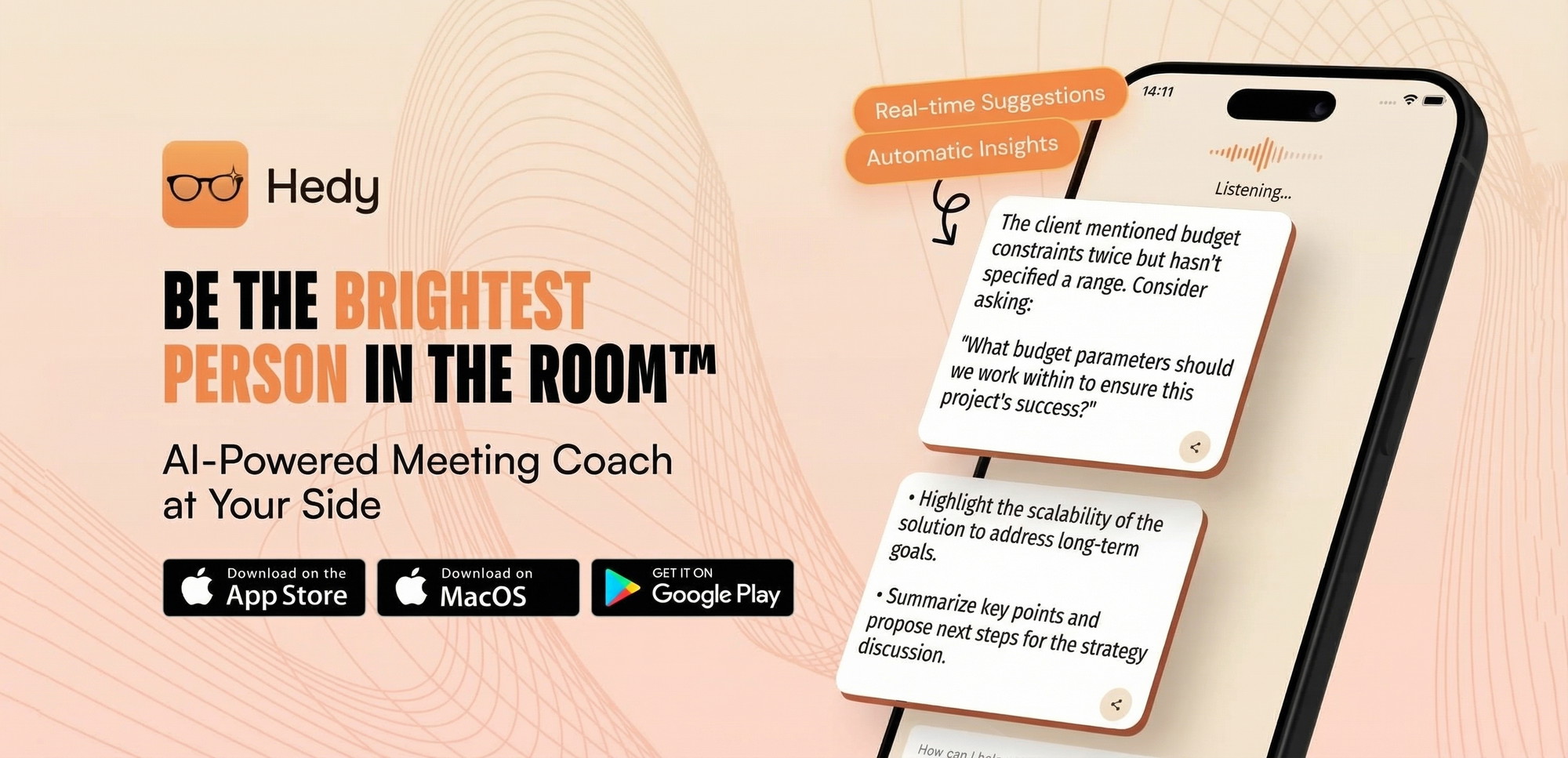
Hedy AI works as an AI-powered assistant designed for navigating professional conversations with confidence. Rather than acting as a passive audio recorder, it monitors the rhythm of your meeting to help you communicate clearly.
The software generates Automatic Suggestions on your screen during discussions so you never miss an important counterpoint. These prompts suggest relevant talking points and strategic responses when negotiations or project reviews become intense. Because the guidance appears quietly while you listen, you can steer the conversation without pausing to search external documents.
The system also identifies primary Topics as speaking turns shift between participants. Tracking these themes ensures you hit every intended agenda item before the call wraps up. You can see which subjects received proper coverage and which items still need quick clarification from your team.
How Cross-Session Chat and Automatic Prep Notes Save Time
Preparing for a complex client presentation usually requires digging through messy transcripts, email threads, and rough project outlines. Hedy AI simplifies this routine by building automatic prep notes from your past dialogues so you walk into new calls fully prepared.
The platform remembers contextual project details through a built-in cross-session chat feature. Instead of re-reading transcripts from three weeks ago, you can directly ask the assistant to recall specific deadlines or open action items. The software scans your past dialogue history and delivers targeted answers in plain sentences.
This unified memory bridges the gap between disconnected weekly check-ins and formal milestone reviews. You can immediately spot unresolved questions, track shifting deliverables, and hold team members accountable for commitments made during previous calls. The assistant keeps your records organized so administrative prep never delays your core work.
Device Support and Multilingual Capabilities
Work rarely happens at a single office desk, so your productivity software must travel smoothly across different hardware environments. Hedy AI operates across an extensive list of operating systems and mobile devices to capture your discussions anywhere.
Supported platforms include:
- iOS mobile phones and tablets
- Android devices
- Apple Watch for wrist-based notifications
- Mac desktop and laptop computers
- Windows operating systems (currently in beta)
- Modern web browsers
Multilingual communication is standard across all supported hardware configurations. The software includes support for over 30 languages, allowing international teams to collaborate naturally without language barriers. Whether you’re leading a presentation on a Mac or checking quick prompts on an Apple Watch, the interface stays responsive and synchronized.
Who Hedy AI Suits Best

Independent consultants who handle client calls back-to-back will benefit greatly from proactive coaching and automatic notes. When you manage projects alone, having automated prompts during high-stakes presentations helps you project executive presence without hiring an assistant.
Account managers handling multiple corporate stakeholders can use cross-session chat to keep individual client preferences straight. The ability to check notes on an Apple Watch or mobile phone makes the platform ideal for professionals who travel frequently. Non-native English speakers working in international companies can also lean on the 30+ language support to follow rapid discussions accurately.
Teams wanting to cut recurring software overhead will appreciate replacing ongoing tools with a one-time purchase. If you need a reliable method to document conversations across different operating systems, this tool matches your everyday working environment.
Who Should Avoid Hedy AI and What to Check First
This platform isn’t suited for users who want fully automated background bots to join video conferences without human supervision. If you expect a software agent to attend meetings on your behalf while you take time off, this system won’t match that workflow.
Privacy-sensitive organizations must check internal compliance rules before deploying any tool that processes speech. Check your company handbook regarding real-time transcription to ensure conversation analysis complies with internal data protection standards.
You should also confirm that your primary team computers run supported operating systems. While the mobile, web, and Mac applications are mature, Windows users should note that their desktop version remains in beta. If your office relies strictly on enterprise Windows environments, evaluate the web client first to confirm it fits your security requirements.
Is It Safe to Rely on AI Conversation Coaching?
Yes, relying on AI conversation coaching is safe as long as you treat the prompts as helpful suggestions rather than rigid scripts. The automated suggestions offer talking points to support your expertise, but you retain full control over what you say.
Real-time processing operates alongside your conversation without interrupting your microphone feed or hijacking your presentation screen. Because you view the coaching cues privately on your personal device, other meeting attendees can’t see your guidance interface. This separation lets you review complex prompts discreetly while maintaining direct eye contact with your clients.
To maintain workplace trust, notify participants whenever software captures meeting audio for transcription or documentation purposes. Clear transparency ensures your team feels comfortable sharing candid feedback while the assistant compiles action items in the background.
When Should You Choose Lifetime Access Over Monthly Plans?
Choose lifetime access if you plan to use an AI notetaker for more than one year and want to permanently eliminate monthly software bills. Long-term use makes a single purchase far more economical than indefinite subscription renewals.
If your team changes software vendors frequently or only requires meeting transcription for a temporary two-month project, a standard monthly subscription from a competing utility might make more sense. Short-term projects don’t always justify purchasing permanent licenses.
However, professionals handling steady, ongoing client communication will quickly break even on a single upfront purchase. Avoiding monthly overhead frees up administrative funds for other necessary business investments.
Related guides
Frequently Asked Questions
Can I run Hedy AI on my Apple Watch?
Yes, Hedy AI works directly on Apple Watch alongside its support for iOS, Android, Mac, Windows (beta), and web browsers. This wrist-based setup lets you check conversational prompts and notifications discreetly during in-person presentations without glancing down at your phone.
How many languages does the software support?
The platform supports over 30 languages across all compatible devices. This broad coverage allows global professionals to conduct international negotiations, document bilingual team standups, and review automated prep notes without running external translation software.
Does the Windows desktop app include all features?
The Windows application is currently in beta, meaning some interface elements may receive ongoing refinements. Users can still access the complete feature suite, including Automatic Suggestions, Topics, and cross-session chat, directly through modern web browsers.
What are Automatic Prep Notes?
Automatic prep notes are structured conversation summaries generated from your previous meeting history. The assistant pulls past topics, open questions, and established commitments into a concise briefing document so you can enter your next discussion fully organized.
How does Cross-Session Chat work?
Cross-session chat lets you query your entire meeting history using conversational text prompts. Instead of hunting through separate meeting files, you ask the assistant specific questions about past decisions, and it returns immediate answers sourced from earlier calls.
Recommendation

Final Thoughts
If you manage demanding client calls and want to eliminate recurring monthly software fees, purchasing Hedy AI provides lasting value. The combination of proactive coaching, multi-device access, and cross-session memory provides complete conversational support. Confirm that your company permits local transcription tools, verify your operating systems, and activate your lifetime account to streamline your professional meetings.