

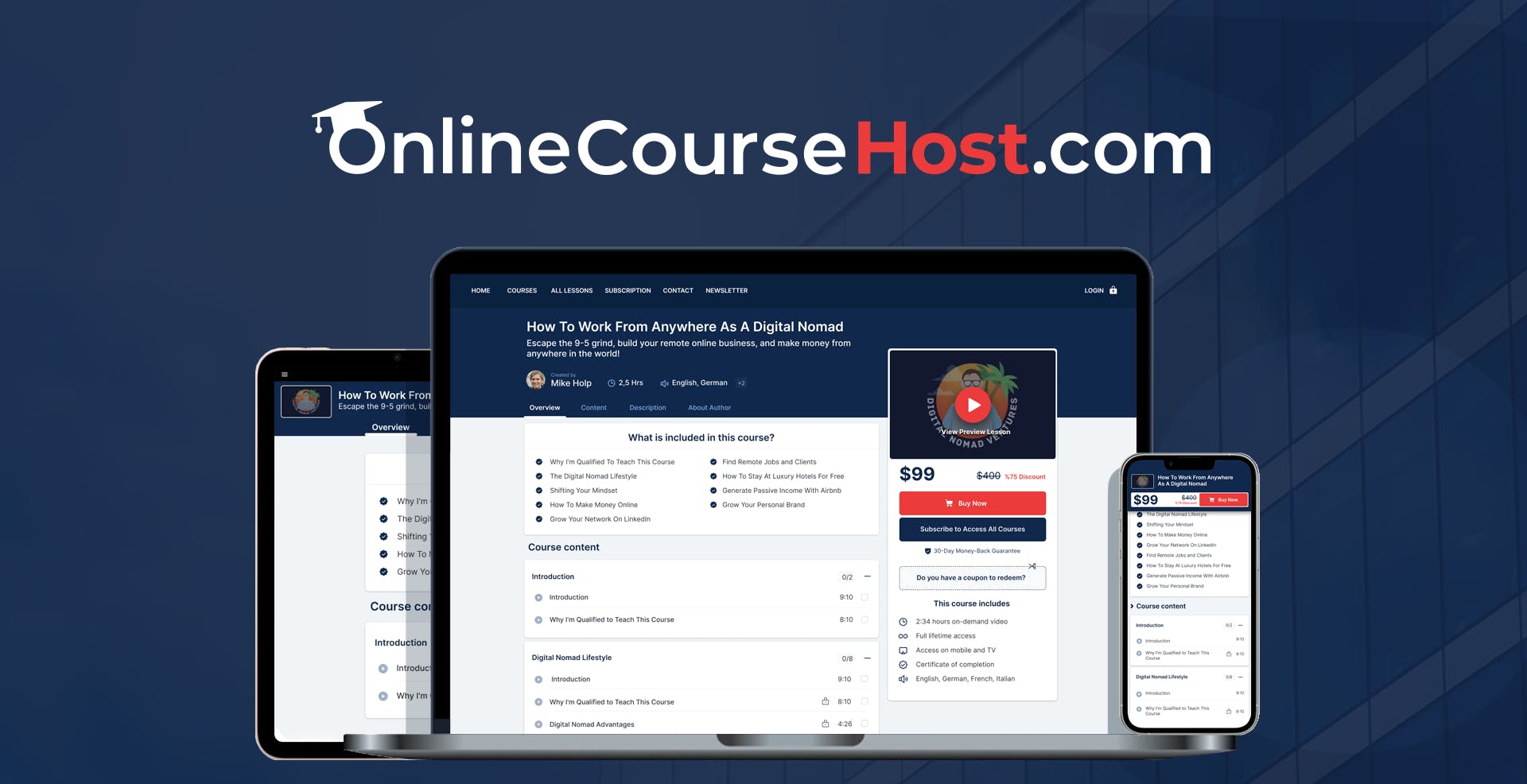
Creating and selling online courses can be a rewarding venture. OnlineCourseHost.com offers a robust platform for this purpose.
However, it’s always wise to explore alternatives to find the best fit for your needs. OnlineCourseHost. com is an AI-powered, white-label platform designed to help you create, sell, and manage online courses. It offers a range of features, including community management, page building, email marketing, and affiliate programs.
But is it the right choice for everyone? Different platforms offer unique features and pricing models that might better suit your requirements. In this blog post, we will explore some top alternatives to OnlineCourseHost. com. By comparing these options, you can make an informed decision and choose the best platform for your online course business.
Credit: www.capterra.com
Introduction To Onlinecoursehost.com Alternatives
OnlineCourseHost.com is an AI-powered platform for creating and selling courses. It offers many features, but it might not fit everyone’s needs. This blog post explores alternatives to help you find the best platform for your online course business.
Why Look For Alternatives?
There are several reasons to explore alternatives to OnlineCourseHost.com:
- Specific Features: Some platforms offer unique tools that might suit your needs better.
- Pricing: Different pricing models may offer better value based on your budget.
- User Experience: Ease of use and customer support can vary greatly between platforms.
- Integration Options: Compatibility with other tools you use in your business.
Considering these factors helps ensure you choose the best platform for your specific requirements.
Overview Of Top Platforms For Course Creators
Below is an overview of some popular alternatives to OnlineCourseHost.com:
| Platform | Main Features | Pricing |
|---|---|---|
| Kajabi |
|
Starts at $149/month |
| Teachable |
|
Free plan available, paid plans start at $39/month |
| Thinkific |
|
Free plan available, paid plans start at $49/month |
These platforms offer a range of features and pricing options. This ensures that you can find the right fit for your business needs.

Credit: help.onlinecoursehost.com
Top Alternative Platforms For Course Creators
Choosing the right platform to host your online courses can be overwhelming. If you are seeking alternatives to OnlineCourseHost.com, here are some excellent options to consider. Each platform offers unique features and benefits tailored to different needs.
Teachable: An Overview
Teachable is a popular platform that allows you to create and sell online courses with ease. Its user-friendly interface is perfect for beginners. You can customize your course pages, manage students, and track your sales all in one place.
- Ease of Use: No coding skills required.
- Customizable: Personalize your course site with various templates.
- Analytics: In-depth reporting on student progress and sales.
Thinkific: Key Features And Benefits
Thinkific is another robust platform that offers a comprehensive suite of tools for course creators. It is known for its flexibility and scalability, making it suitable for both beginners and advanced users.
- Course Creation: Drag-and-drop builder for easy setup.
- Monetization: Multiple pricing options including subscriptions and memberships.
- Community: Built-in tools for student engagement and interaction.
Kajabi: All-in-one Solution
Kajabi stands out as an all-in-one solution for course creators. It not only allows you to create courses but also includes tools for marketing, email campaigns, and website building.
| Feature | Details |
|---|---|
| Course Creation | Comprehensive and intuitive builder. |
| Marketing | Automated email campaigns and funnels. |
| Community | Integrated forums and membership sites. |
Udemy: Marketplace For Course Creators
Udemy is a well-known marketplace where you can reach a large audience. It is ideal for those who want to tap into an existing user base to sell their courses.
- Exposure: Access to millions of students worldwide.
- Ease of Use: Simple course creation process.
- Revenue Share: Competitive commission structure.
Podia: Simplified Course Creation
Podia offers a simplified approach to course creation and selling. It is designed to be straightforward, making it easy for anyone to start creating and selling courses.
- All-in-One: Includes courses, digital downloads, and memberships.
- Ease of Use: No technical skills needed.
- Support: Excellent customer service and resources.
Teachable: Features, Pricing, And Suitability
Teachable is a popular online course platform known for its ease of use and powerful features. It allows educators, coaches, and entrepreneurs to create and sell online courses. Let’s delve into the unique features, pricing, pros and cons, and suitable users for Teachable.
Unique Features Of Teachable
- Course Creation: Intuitive drag-and-drop editor for creating engaging courses.
- Customizable Sales Pages: Design and customize sales pages without coding skills.
- Built-In Payment Processing: Integrated with Stripe and PayPal for smooth transactions.
- Student Analytics: Track student progress and engagement with detailed analytics.
- Marketing Tools: Includes email marketing, affiliate programs, and coupon codes.
- Mobile App: Students can access courses on the go with the mobile app.
Teachable Pricing Breakdown
| Plan | Price (Per Month) | Features |
|---|---|---|
| Free | $0 | Basic course creation, limited features. |
| Basic | $39 | Unlimited courses, students, and basic integrations. |
| Pro | $119 | Advanced features, no transaction fees, priority support. |
| Business | $299 | All features, priority support, and advanced integrations. |
Pros And Cons Of Using Teachable
Pros:
- Easy to use with a user-friendly interface.
- Comprehensive course creation and marketing tools.
- Flexible pricing plans for different needs.
- Integrated payment processing with no transaction fees on higher plans.
Cons:
- Higher pricing compared to some alternatives.
- Limited customization options for advanced users.
- Transaction fees on lower-tier plans.
Ideal Users For Teachable
Teachable is suitable for:
- Educators: Teachers looking to expand their reach with online courses.
- Coaches: Professionals offering coaching and training programs.
- Entrepreneurs: Business owners wanting to monetize their expertise.
- Influencers: Social media personalities selling branded courses.
Thinkific: Features, Pricing, And Suitability
Thinkific is a popular platform for creating and selling online courses. It offers a variety of features and flexible pricing plans. This makes it a strong alternative to OnlineCourseHost.com. Below, we explore Thinkific’s unique features, pricing, pros and cons, and who it is best suited for.
Unique Features Of Thinkific
- Customizable Course Pages: Create and design your course pages without needing any coding skills.
- Multi-Media Content: Include videos, quizzes, surveys, and downloadable files to enhance learning.
- Student Engagement Tools: Use community discussions, course completion certificates, and drip content to engage learners.
- Integrations: Easily integrate with marketing tools like MailChimp, Zapier, and others.
- Payment Options: Offer various payment methods including one-time payments, subscriptions, and payment plans.
Thinkific Pricing Breakdown
| Plan | Price | Features |
|---|---|---|
| Free | $0/month |
|
| Basic | $39/month |
|
| Pro | $79/month |
|
| Premier | $399/month |
|
Pros And Cons Of Using Thinkific
Pros:
- Easy to use with no coding skills required.
- Flexible pricing plans to suit different needs.
- Wide range of integrations with other tools.
- Strong student engagement features.
Cons:
- Higher-tier plans can be expensive for small businesses.
- Limited customization options on lower-tier plans.
- Transaction fees on the Free plan.
Ideal Users For Thinkific
Thinkific is ideal for:
- Course Creators: Those who want to create and sell courses easily.
- Educators: Teachers and trainers looking to offer online classes.
- Businesses: Companies providing employee training programs.
- Entrepreneurs: Individuals seeking to monetize their expertise.
Kajabi: Features, Pricing, And Suitability
Looking for an alternative to OnlineCourseHost.com? Kajabi is an excellent option for those who want a comprehensive platform for creating and selling online courses. Below, we explore Kajabi’s unique features, pricing, pros and cons, and the types of users who will benefit most from this platform.
Unique Features Of Kajabi
Kajabi offers a wide range of features designed to help you create, market, and sell your online courses. Here are some of the standout features:
- All-in-One Platform: Manage courses, marketing, and sales from a single dashboard.
- Website Builder: Create a professional website without coding skills.
- Sales Funnels: Pre-built templates for creating effective sales funnels.
- Email Marketing: Integrated tools for sending newsletters and automated email sequences.
- Membership Sites: Offer exclusive content to subscribers.
- Community Engagement: Built-in tools for forums and member interactions.
- Analytics and Reporting: Detailed insights into your business performance.
Kajabi Pricing Breakdown
Kajabi offers three pricing tiers to suit different needs and budgets. Below is a detailed breakdown of the pricing plans:
| Plan | Monthly Cost | Annual Cost | Features |
|---|---|---|---|
| Basic | $149 | $119/month (billed annually) | 3 Products, 3 Pipelines, Unlimited Marketing Emails, 10,000 Contacts, 1,000 Active Members, 1 Website, 1 Admin User |
| Growth | $199 | $159/month (billed annually) | 15 Products, 15 Pipelines, Unlimited Marketing Emails, 25,000 Contacts, 10,000 Active Members, 1 Website, 10 Admin Users |
| Pro | $399 | $319/month (billed annually) | 100 Products, 100 Pipelines, Unlimited Marketing Emails, 100,000 Contacts, 20,000 Active Members, 3 Websites, 25 Admin Users |
Pros And Cons Of Using Kajabi
Every platform has its strengths and weaknesses. Below are the pros and cons of using Kajabi:
Pros:
- Comprehensive all-in-one solution
- Professional website and sales funnel builders
- Robust email marketing tools
- Excellent customer support
- Detailed analytics and reporting
Cons:
- Higher price point compared to other platforms
- Limited customization options
- Steep learning curve for beginners
Ideal Users For Kajabi
Kajabi is best suited for:
- Course Creators: Those who want a comprehensive platform to manage all aspects of their online course business.
- Coaches and Consultants: Professionals who need to offer courses and exclusive content.
- Entrepreneurs: Business owners who want to create and sell digital products.
- Membership Site Owners: Those who want to build and manage a community around their content.
Udemy: Features, Pricing, And Suitability
Udemy is a popular online learning platform offering a vast range of courses. It is a robust alternative to OnlineCourseHost.com, providing unique features, flexible pricing, and a user-friendly interface. Let’s explore what Udemy has to offer.
Unique Features Of Udemy
- Vast Course Library: Access over 155,000 courses across various categories.
- Expert Instructors: Learn from industry experts and experienced educators.
- Lifetime Access: Once purchased, you have lifetime access to the course content.
- Multilingual Support: Courses are available in multiple languages, catering to a global audience.
- Q&A Section: Engage with instructors through the Q&A feature for personalized learning.
- Mobile App: Learn on the go with the Udemy mobile app.
Udemy Pricing Breakdown
| Course Type | Price Range |
|---|---|
| Individual Courses | $10 – $200 |
| Udemy for Business | $360 per user/year |
Note: Udemy frequently offers discounts and promotions, reducing the cost of courses significantly.
Pros And Cons Of Using Udemy
Pros:
- Wide range of courses available.
- Experienced instructors.
- Lifetime access to purchased courses.
- Frequent discounts and promotions.
Cons:
- No dedicated support for free courses.
- Course quality can vary.
- Limited community interaction features.
Ideal Users For Udemy
Udemy is best suited for:
- Individuals seeking affordable and diverse learning opportunities.
- Professionals looking to upskill or reskill in their field.
- Businesses aiming to provide training resources for their employees.
- Hobbyists interested in exploring new interests and skills.
Podia: Features, Pricing, And Suitability
If you are considering alternatives to OnlineCourseHost.com, Podia is a popular choice. Podia offers a range of features and pricing plans to fit different needs. Let’s explore its unique features, pricing, and suitability for different users.
Unique Features Of Podia
- All-in-One Platform: Podia combines course creation, email marketing, and membership sites in one place.
- Webinars and Downloads: Host live and pre-recorded webinars, and sell digital downloads.
- Drip Content: Schedule and release course content over time to keep students engaged.
- Integrated Payment Gateways: Seamlessly integrate with Stripe and PayPal for secure payments.
- Affiliate Marketing: Built-in tools to create and manage your own affiliate program.
- Unlimited Hosting: No limits on the number of courses, students, or files you can host.
Podia Pricing Breakdown
| Plan | Monthly Cost | Yearly Cost | Features |
|---|---|---|---|
| Mover | $39/month | $390/year | Includes courses, webinars, downloads, email marketing, and 0% transaction fees. |
| Shaker | $79/month | $790/year | All Mover features plus memberships, affiliate marketing, and third-party code integrations. |
Pros And Cons Of Using Podia
- Pros:
- Easy to use and set up.
- No transaction fees on any plan.
- Comprehensive customer support.
- Regular feature updates.
- Cons:
- Limited customization options compared to some competitors.
- Higher pricing for advanced features.
Ideal Users For Podia
Podia is ideal for:
- Course Creators: Easy setup and zero transaction fees make it attractive.
- Influencers: Monetize content through courses, memberships, and downloads.
- Coaches: Use webinars and email marketing to engage clients.
- Small Businesses: Manage all aspects of digital sales in one platform.

Credit: instructor-academy.onlinecoursehost.com
Comparison Of Alternatives
Finding the right platform to host and sell your online courses is crucial. In this section, we will compare some of the best alternatives to OnlineCourseHost.com. These alternatives include Kajabi, Teachable, and Thinkific. We’ll look at their features, pricing, and pros and cons to help you make an informed decision.
Feature Comparison
| Feature | OnlineCourseHost.com | Kajabi | Teachable | Thinkific |
|---|---|---|---|---|
| AI-Powered Platform | Yes | No | No | No |
| White-Label Solution | Yes | Yes | Yes | Yes |
| Community Management | Yes | Yes | No | Yes |
| Email Marketing | Yes | Yes | No | No |
| Video Hosting | Yes | Yes | Yes | Yes |
| Payment Integration | Stripe, PayPal | Stripe, PayPal | Stripe, PayPal | Stripe, PayPal |
| Certifications | Yes | No | No | Yes |
| Integrations | Yes | Yes | Yes | Yes |
Pricing Comparison
Pricing can be a deciding factor when choosing a platform. Below is a comparison of the pricing models:
- OnlineCourseHost.com: $99 (Lifetime deal, originally $2,000)
- Kajabi: $119/month (Basic), $159/month (Growth), $319/month (Pro)
- Teachable: $29/month (Basic), $99/month (Pro), $249/month (Business)
- Thinkific: Free plan available, $49/month (Basic), $99/month (Pro), $499/month (Premier)
Pros And Cons Comparison
Each platform has its strengths and weaknesses. Here is a quick comparison:
- OnlineCourseHost.com:
- Pros: AI-powered, white-label, built-in community, affordable lifetime deal
- Cons: Limited storage (5 GB per code), fewer integrations compared to competitors
- Kajabi:
- Pros: Comprehensive toolset, strong community features, robust email marketing
- Cons: Expensive, steep learning curve
- Teachable:
- Pros: User-friendly, affordable plans, strong video hosting
- Cons: Limited community features, no built-in email marketing
- Thinkific:
- Pros: Free plan, flexible pricing, strong community features
- Cons: Limited email marketing, higher cost for advanced features
Frequently Asked Questions
What Are The Top Alternatives To Onlinecoursehost.com?
There are several alternatives to Onlinecoursehost. Com. Popular options include Teachable, Thinkific, Podia, and Kajabi. Each offers unique features for online course creation.
How Does Teachable Compare To Onlinecoursehost.com?
Teachable provides an intuitive platform with extensive customization options. It is user-friendly and integrates well with various tools. This makes it a strong competitor.
Can I Migrate My Courses From Onlinecoursehost.com?
Yes, most platforms like Teachable and Thinkific offer migration support. They assist in transferring your existing content seamlessly.
Is Thinkific Better Than Onlinecoursehost.com?
Thinkific excels with its robust course creation tools and marketing features. It’s a preferred choice for many educators due to its flexibility.
Conclusion
Finding the right platform for your online courses can be challenging. OnlineCourseHost.com offers many features, but exploring alternatives is essential. Evaluate options like Kajabi, Teachable, and Thinkific to find the best fit. Each platform has unique strengths and can cater to different needs. Choose wisely to ensure your online course success. To learn more about OnlineCourseHost.com, visit their official page. Happy course creating!