

“Tidycal Features”
Scheduling meetings can be a hassle without the right tools. TidyCal aims to simplify this process.
It’s a powerful scheduling software that integrates with various calendars and offers customizable features. TidyCal stands out in the crowded scheduling software market. It provides users with personalized booking pages, ensures real-time availability through calendar syncs, and supports both free and paid sessions. This tool integrates seamlessly with Google, Office 365, and iCal, preventing double bookings. Plus, it automates the creation of meeting URLs with Zoom and Google Meet. TidyCal also offers features like email reminders, group bookings, and payment processing with Stripe and PayPal. With TidyCal, managing appointments becomes a streamlined and efficient process, enhancing productivity and user experience. Explore more about TidyCal and its features here.
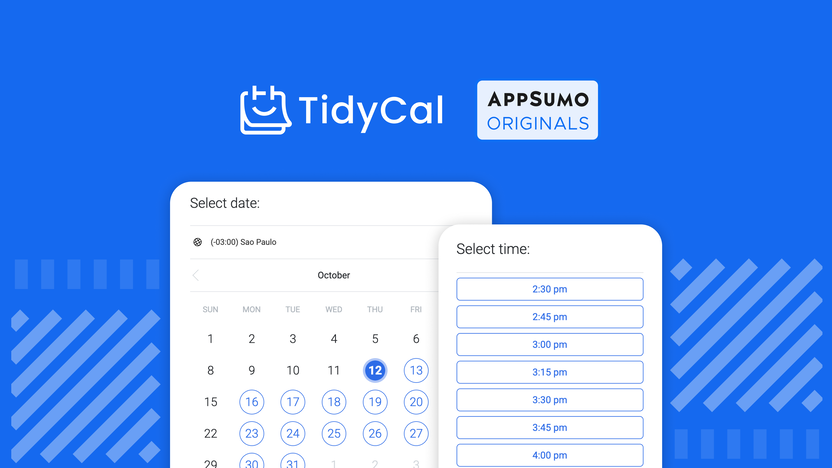
Credit: appsumo.com
Introduction To Tidycal
In today’s busy world, managing appointments can be a daunting task. Enter TidyCal, a powerful scheduling software that makes booking meetings a breeze. With its customizable features, calendar integrations, and automated functionalities, TidyCal aims to streamline your scheduling process.
What Is Tidycal?
TidyCal is a scheduling tool designed to simplify the process of booking meetings. It helps users create customizable booking pages, integrate calendars, and automate features to manage appointments effortlessly. Whether you need one-on-one sessions, group meetings, or paid consultations, TidyCal has you covered.
Purpose And Benefits Of Using Tidycal
The purpose of TidyCal is to simplify and enhance the scheduling experience. Here are some benefits:
- Customizable Booking Pages: Generate personalized booking pages with custom availability schedules, specific date selections, and time blocks.
- Unlimited Booking Types: Create various booking types for different meeting formats, including one-on-one, group, free, and paid sessions.
- Calendar Integration: Sync with Google, Office 365, or iCal to ensure real-time availability and avoid double-bookings. Integrate with Zoom and Google Meet for auto-generated meeting URLs.
- Payment Integration: Charge for sessions using Stripe and PayPal. Promote services through an exclusive directory.
- Additional Features: GDPR-compliance, stats and analytics, email reminders, group bookings, package bookings, guest invites, booking limits, and more.
By using TidyCal, you can simplify the booking process with user-friendly, customizable pages. It prevents double-bookings by syncing multiple calendars and facilitates paid sessions directly within the platform. Enhance your user experience with automated meeting URLs and personalized reminders. Plus, gain valuable insights through tracking and analytics.
Here’s a quick look at the pricing plans:
| Plan | Price | Features |
|---|---|---|
| Individual Plan | $39 (One-time) |
|
| Agency Plan | $79 (One-time) |
|
With a 60-Day Money-Back Guarantee, you can try TidyCal for 60 days and get a full refund if not satisfied. This makes it a risk-free option for anyone looking to streamline their scheduling process.
Key Features Of Tidycal
TidyCal is a powerful scheduling tool designed to make booking meetings simple and efficient. It offers a range of features to help users manage their appointments seamlessly. Below are some of the key features that make TidyCal stand out.
TidyCal boasts a user-friendly interface that makes it easy for anyone to navigate. The intuitive design allows users to create and manage bookings without any hassle. Clear instructions guide users through each step, ensuring a smooth experience.
One of TidyCal’s standout features is its customizable scheduling options. Users can generate personalized booking pages with custom availability schedules. This includes specific date selections and time blocks, catering to various meeting needs.
- Personalized booking pages
- Custom availability schedules
- Specific date selections
- Time blocks
TidyCal helps users stay on top of their schedules with automated reminders and notifications. These features ensure that both hosts and attendees never miss an appointment. Reminders can be customized to suit individual preferences.
Integration with popular calendars like Google, Office 365, and iCal is a key feature of TidyCal. This integration helps prevent double-bookings by syncing real-time availability. Meeting URLs are auto-generated for Zoom and Google Meet, simplifying the scheduling process.
| Calendar | Integration |
|---|---|
| Yes | |
| Office 365 | Yes |
| iCal | Yes |
| Zoom | Yes |
| Google Meet | Yes |
With TidyCal’s time zone detection feature, users can schedule meetings across different time zones effortlessly. The system automatically detects and adjusts to the correct time zone, preventing any scheduling confusion.
TidyCal offers robust group scheduling capabilities. Users can create various booking types for different meeting formats, including one-on-one, group, free, and paid sessions. This flexibility makes it suitable for a wide range of scheduling needs.
- One-on-one meetings
- Group meetings
- Free sessions
- Paid sessions
TidyCal is a comprehensive and user-friendly solution for managing and scheduling meetings. With its customizable options, calendar integrations, and payment features, it provides excellent value for users looking to simplify their booking process.
User-friendly Interface
TidyCal stands out with its user-friendly interface that simplifies the scheduling process. This feature makes it easy for users to navigate and customize their booking experience.
Intuitive Design
The intuitive design of TidyCal ensures that users can set up their booking pages effortlessly. The interface is designed to be straightforward and clear, making it accessible to everyone.
- Personalized booking pages
- Custom availability schedules
- Specific date selections
- Time blocks
Users can easily tailor their booking pages to meet their specific needs. This flexibility helps in managing appointments efficiently.
Easy Navigation
TidyCal offers easy navigation features that help users manage their schedules without any hassle.
- Sync with Google, Office 365, or iCal
- Integrate with Zoom and Google Meet
- Automated meeting URLs
- Personalized reminders
These features ensure users can see their real-time availability and avoid double-bookings. The integration with popular calendars and meeting platforms makes the process seamless.
For those looking to charge for their sessions, TidyCal supports payment integrations with Stripe and PayPal. It also provides a directory to promote services, making it a comprehensive solution for all scheduling needs.
Customizable Scheduling Options
TidyCal simplifies the process of booking meetings with its customizable scheduling options. This feature allows users to create flexible and personalized booking pages, ensuring a seamless appointment management experience.
Flexible Time Slots
With TidyCal, users can set up flexible time slots to match their availability. Whether for one-on-one sessions or group meetings, you can easily configure specific time blocks to accommodate different needs.
- Choose specific dates and times.
- Set time blocks for various meeting types.
- Adjust availability in real-time.
Buffer Times Between Meetings
Ensuring a smooth transition between appointments is crucial. TidyCal allows users to add buffer times between meetings. This feature helps in preventing back-to-back scheduling, giving users enough time to prepare for the next meeting.
- Set buffer times to avoid rushing.
- Customize buffer duration based on preferences.
- Maintain a balanced schedule throughout the day.
Recurring Appointments
TidyCal supports recurring appointments to streamline regular meetings. Users can set up daily, weekly, or monthly recurring events, ensuring consistency and saving time on scheduling.
- Create daily, weekly, or monthly recurring sessions.
- Manage recurring appointments with ease.
- Automatically update changes across all instances.
Automated Reminders And Notifications
Keeping track of meetings can be challenging. TidyCal eases this with its Automated Reminders and Notifications feature. This ensures that you and your clients never miss an appointment.
Email And Sms Reminders
TidyCal sends both email and SMS reminders to clients and hosts. This dual approach increases the likelihood of everyone being on time.
| Reminder Type | Details |
|---|---|
| Automated emails with meeting details and links. | |
| SMS | Text messages with key meeting information. |
Both reminder methods ensure clear communication and reduce no-shows.
Custom Notification Settings
With TidyCal, you can customize notification settings to fit your needs. Users can choose how and when reminders are sent.
- Timing: Set notifications to go out days, hours, or minutes before a meeting.
- Frequency: Send multiple reminders to ensure visibility.
- Channels: Choose between email, SMS, or both.
This flexibility helps in managing your schedule effectively. TidyCal’s customization options suit different meeting types and preferences.
Integration With Popular Calendars
TidyCal is designed to make scheduling meetings easy and efficient. One of its standout features is its integration with popular calendars. This ensures real-time availability and prevents double-bookings. Let’s explore how TidyCal syncs with Google Calendar and Outlook Calendar.
Sync With Google Calendar
Google Calendar is widely used for personal and professional scheduling. TidyCal seamlessly integrates with Google Calendar, ensuring your availability is always up-to-date. This integration helps to avoid double-booking and keeps all your appointments in one place.
- Real-time Sync: Any changes in your Google Calendar are instantly reflected in TidyCal.
- Availability Management: Set your availability directly in Google Calendar, and it will automatically update in TidyCal.
- Automated Scheduling: TidyCal can automatically generate meeting URLs using Google Meet, streamlining your scheduling process.
Sync With Outlook Calendar
Outlook Calendar is another popular choice for scheduling. TidyCal’s integration with Outlook Calendar ensures your availability is accurately represented. This prevents scheduling conflicts and keeps your calendar organized.
- Real-time Updates: Changes in Outlook Calendar are immediately synced with TidyCal.
- Conflict Prevention: By syncing with Outlook, TidyCal helps prevent double-booking and scheduling conflicts.
- Custom Availability: Customize your availability in Outlook Calendar, and TidyCal will reflect these changes automatically.
| Feature | Google Calendar | Outlook Calendar |
|---|---|---|
| Real-time Sync | Yes | Yes |
| Availability Management | Yes | Yes |
| Automated Scheduling | Yes | No |
TidyCal’s integration with these popular calendars ensures a smooth and efficient scheduling experience. This is just one of the many features that make TidyCal an excellent choice for managing your appointments.
Time Zone Detection
TidyCal is designed to simplify scheduling, especially for those who work across different time zones. One of its standout features is Time Zone Detection. This feature ensures that you and your clients are on the same page, regardless of where you are in the world. Let’s delve into how it works.
Automatic Time Zone Adjustment
TidyCal’s Automatic Time Zone Adjustment ensures that all parties see the meeting time in their local time zone. You don’t need to manually calculate the time difference. This feature automatically detects the user’s time zone based on their device settings and adjusts the meeting times accordingly. This reduces the risk of confusion and missed appointments.
Global Scheduling Made Easy
With TidyCal, Global Scheduling is a breeze. You can schedule meetings with clients or team members from different parts of the world without worrying about time zone differences. TidyCal’s intuitive interface allows you to set your availability, and it will automatically convert these times for your invitees. This feature is especially useful for businesses with a global presence, ensuring smooth and hassle-free scheduling.
Here’s a quick look at the benefits of TidyCal’s time zone detection:
- Reduces scheduling errors by automatically adjusting for time zones.
- Enhances user experience by providing local time information.
- Saves time by eliminating the need for manual calculations.
TidyCal’s time zone detection ensures that your meetings are scheduled accurately, no matter where your participants are located. This feature, combined with other powerful tools, makes TidyCal a reliable choice for seamless scheduling.
Group Scheduling Capabilities
TidyCal offers robust group scheduling capabilities, making it easier to coordinate multiple attendees for your meetings. This feature is especially useful for businesses and teams that need to find common availability quickly and efficiently.
Coordinate Multiple Attendees
With TidyCal, you can easily coordinate multiple attendees for your meetings. Here’s how:
- Group Bookings: Create group booking types for different formats such as team meetings, webinars, or workshops.
- Guest Invites: Send invites to multiple participants and allow them to choose from available slots.
- Automated Scheduling: Automate the scheduling process by integrating with your calendar, ensuring no double-bookings.
Find Common Availability
TidyCal simplifies finding common availability among multiple attendees. It synchronizes with your calendars to ensure real-time availability. Here’s how it works:
- Calendar Integration: Sync with Google, Office 365, or iCal to view the availability of all attendees in real-time.
- Custom Availability: Set custom availability schedules and time blocks to match the preferences of your team.
- Availability Matching: TidyCal matches the common available slots and suggests the best times for your group meetings.
By leveraging TidyCal’s group scheduling capabilities, you can streamline the process of organizing meetings with multiple attendees, saving valuable time and effort.
Pricing And Affordability
TidyCal offers a range of features designed to simplify scheduling. Its pricing plans are structured to provide excellent value for both individuals and agencies. Let’s explore the details.
Pricing Plans Overview
| Plan | Price | Features |
|---|---|---|
| Individual Plan | $39 (One-time) |
|
| Agency Plan | $79 (One-time) |
|
Value For Money
The pricing plans of TidyCal are designed to provide maximum value. The one-time payment option offers significant savings compared to monthly subscriptions.
The Individual Plan is ideal for solo professionals. It provides essential features like calendar connections, unlimited booking types, and reduced branding. For just $39, users get lifetime access to these features.
The Agency Plan caters to larger teams and businesses. Priced at $79 for lifetime access, it includes additional features like more calendar connections, dedicated Teams page, and collective meeting options. This plan ensures seamless collaboration and scheduling for multiple users.
Both plans include a 60-day money-back guarantee, ensuring that users can try TidyCal risk-free. This refund policy showcases the confidence TidyCal has in its product.
Overall, TidyCal provides a cost-effective solution for managing bookings. Its affordable pricing and robust feature set make it a great choice for individuals and teams alike.
Pros And Cons Of Tidycal
TidyCal is a powerful scheduling tool designed to simplify booking meetings. It offers various customizable features, making it a popular choice among professionals. Here, we explore the pros and cons of using TidyCal.
Advantages Of Using Tidycal
- Customizable Booking Pages: Create personalized booking pages with specific dates and time blocks.
- Unlimited Booking Types: Offers various meeting formats, including one-on-one, group, free, and paid sessions.
- Calendar Integration: Sync with Google, Office 365, or iCal to prevent double-bookings.
- Payment Integration: Charge for sessions directly using Stripe and PayPal.
- Automated Meeting URLs: Integrate with Zoom and Google Meet for auto-generated URLs.
- GDPR-Compliance: Ensures user data protection with GDPR-compliant features.
- Email Reminders: Send automated reminders to participants.
- Group and Package Bookings: Allows for group sessions and package deals.
- Guest Invites: Easily send invites to participants.
- Booking Limits: Set limits to manage your availability.
- Stats and Analytics: Gain insights through tracking and analytics.
Potential Drawbacks
- Limited Branding Options: While branding is reduced, it is not entirely removed.
- Requires Calendar Integration: Full functionality depends on integrating with external calendars.
- One-Time Purchase: The initial cost may be high for some users.
Below is a comparison table of TidyCal’s pricing plans:
| Plan | Price | Calendar Connections | Active Booking Types | Bookings per Month | Branding | Directory Access | Advanced Integrations | Dedicated Teams Page | Meeting Types |
|---|---|---|---|---|---|---|---|---|---|
| Individual Plan | $39 | 10 | Unlimited | Unlimited | Reduced | Yes | Yes | No | No |
| Agency Plan | $79 | 25 | Unlimited | Unlimited | Reduced | Yes | Yes | Yes | Collective and round robin |
TidyCal offers a 60-Day Money-Back Guarantee for users. You can try it for 60 days and get a full refund if not satisfied.
Recommendations For Ideal Users
TidyCal is an advanced scheduling tool designed to streamline the process of booking meetings. Below are recommendations for users who would find TidyCal most beneficial.
Best Scenarios For Using Tidycal
- Business Meetings: Schedule and manage one-on-one or group business meetings effortlessly.
- Consultations: Perfect for consultants offering paid sessions with integrated payment options.
- Remote Teams: Sync calendars and generate meeting URLs automatically for remote team coordination.
- Event Planning: Organize and manage events with customizable booking pages and group bookings.
Ideal User Profiles
| User Type | Why TidyCal is Ideal |
|---|---|
| Freelancers | Manage multiple client meetings with ease. Get paid through Stripe or PayPal. |
| Small Business Owners | Create unlimited booking types and sync calendars to avoid conflicts. |
| Coaches and Trainers | Offer both free and paid sessions with a seamless booking experience. |
| Healthcare Professionals | Schedule patient appointments with customizable time blocks and reminders. |
| Agencies | Use the Agency Plan for dedicated Teams pages and advanced integrations. |
TidyCal simplifies booking processes and enhances productivity for various user profiles. Its customizable features and seamless integrations make it a versatile tool for anyone needing efficient scheduling solutions.

Credit: medium.com
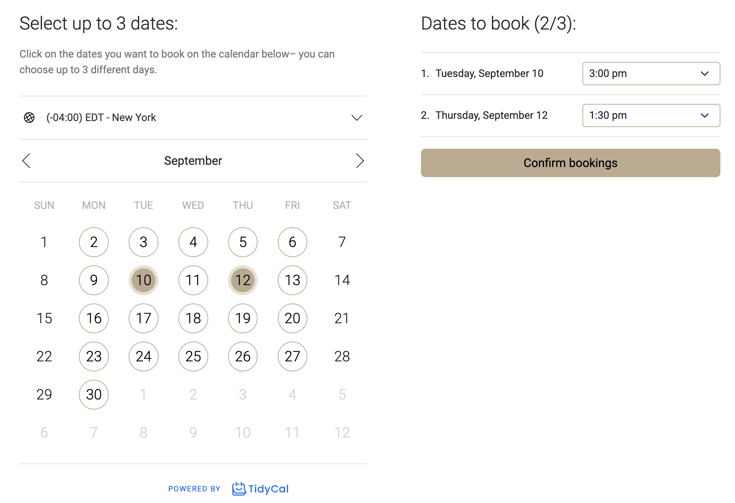
Credit: youcanbook.me
Frequently Asked Questions
What Is Tidycal?
Tidycal is a scheduling tool that simplifies booking appointments. It integrates with calendars, allowing you to manage your schedule efficiently.
How Does Tidycal Work?
Tidycal connects with your calendar, providing available time slots. Clients can book appointments directly, reducing back-and-forth emails.
Can Tidycal Integrate With Other Tools?
Yes, Tidycal integrates with popular tools like Google Calendar, Outlook, and Zoom. This ensures seamless scheduling and meeting management.
Is Tidycal Easy To Use?
Tidycal is user-friendly with a simple interface. It requires minimal setup, making it accessible for everyone.
Conclusion
TidyCal simplifies meeting scheduling with customizable options and calendar integrations. It supports various booking types and payment features. Get the most out of your meetings with TidyCal’s user-friendly interface. Enjoy seamless integrations and valuable insights. Try TidyCal today and streamline your scheduling process. Experience the ease of booking with TidyCal.