

Disclosure: this article contains an affiliate link. If you buy through it, we may earn a commission.
Choosing between Hedy AI and Otter AI depends on whether you need a general-purpose transcription tool or a specialized assistant designed to coach you through professional interactions. While Otter AI is a well-known name in the meeting transcription space, Hedy AI positions itself as a proactive assistant that provides real-time coaching, prep notes, and cross-session insights to help you navigate complex conversations.
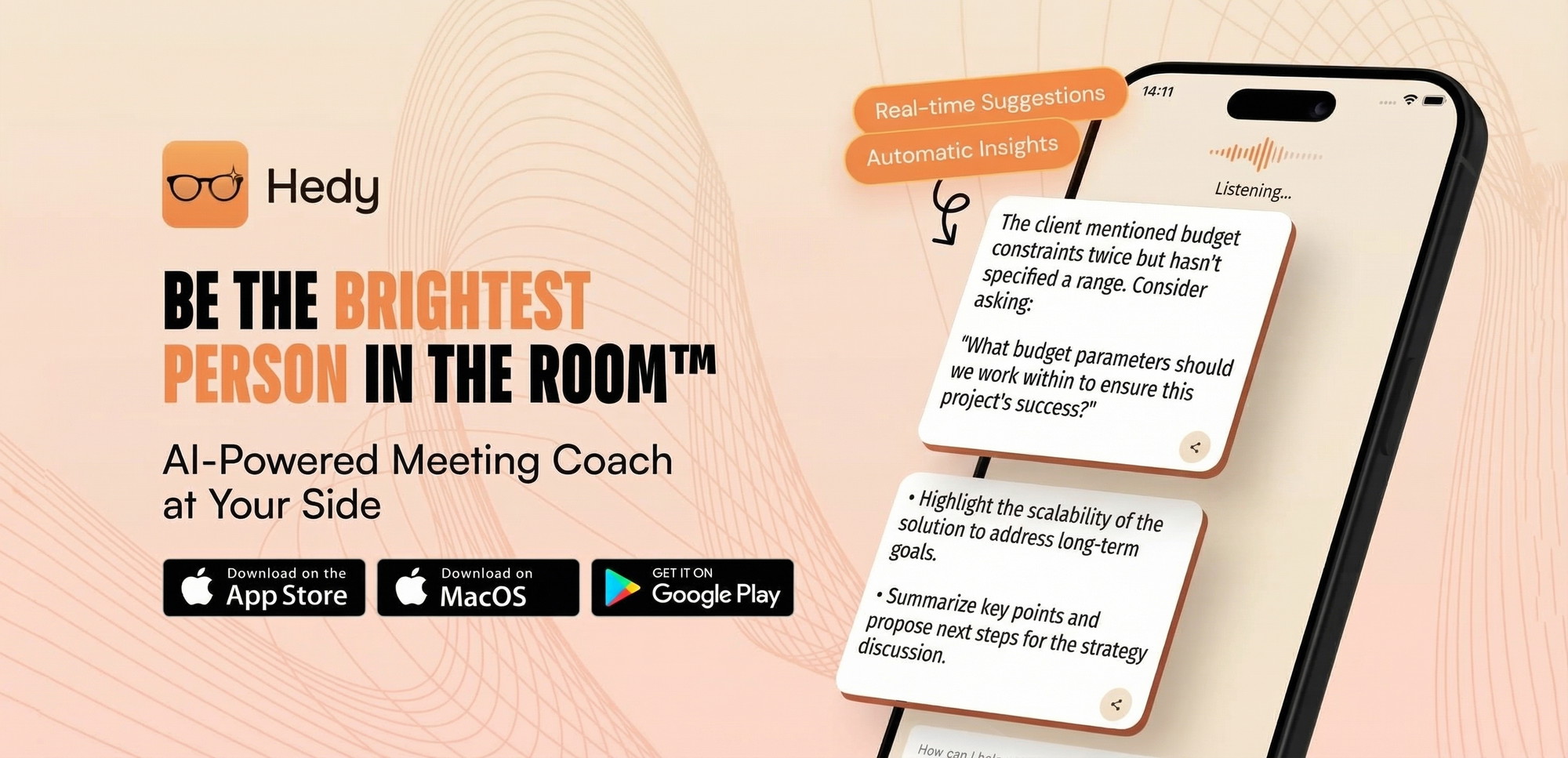
Hedy AI vs Otter AI: A Feature Comparison

The primary difference between these two services lies in their focus. Otter AI is built primarily to capture, transcribe, and summarize meetings so you have a written record of what was said. It excels at turning audio into text and extracting action items. Hedy AI, however, functions as a conversational partner. It uses automatic suggestions and topic tracking to help you prepare for and manage professional dialogues rather than just recording them.
If your main goal is to generate clean transcripts for documentation, the two tools serve similar functions. However, if you’re looking for an assistant that offers guidance during or before a conversation, you’ll find their approaches distinct. Hedy AI aims to provide proactive coaching, which means it attempts to steer your preparation and awareness during a session.
Comparing Core Capabilities
| Feature | Otter AI | Hedy AI |
|---|---|---|
| Primary Focus | Transcription and summary | Proactive professional coaching |
| Preparation | Automated meeting notes | Automatic prep notes and topics |
| Session Scope | Single meeting focus | Cross-session chat and memory |
| Language Support | Primarily English focused | 30+ language support |
| Device Access | Web, iOS, Android | iOS, Android, Mac, Windows, Apple Watch |
When Should You Choose Hedy AI?
You should consider Hedy AI if you frequently engage in high-stakes professional conversations where preparation and strategic navigation matter more than simple transcription. The tool is built to offer automatic suggestions and track topics across multiple sessions, which is helpful if you’re managing long-term professional relationships or complex projects.
Its prep notes help users enter meetings with a clear agenda.
Understanding the Coaching Aspect
Proactive coaching distinguishes Hedy AI from standard notetakers. Instead of just passive listening, the software monitors the flow of your interaction to offer real-time guidance. This helps users improve communication and cover key agenda items.
Tip: Before committing to a specific AI tool for your workflow, verify that your organization’s internal data policies allow for the use of third-party transcription or coaching software.
When Is Otter AI the Better Alternative?

Otter AI is often the preferred choice for teams that require high-volume transcription for large meetings, town halls, or educational settings. Its infrastructure is optimized for capturing long-form audio and converting it into searchable text. If your primary need is to search through past meetings to find a specific comment or a list of tasks assigned to team members, its search and indexing capabilities are highly developed.
Many enterprises have established workflows for standard transcription platforms. If you need to share transcripts or export them to project management software, mature platforms like Otter AI offer more pre-built integrations.
Is It Safe to Use These Tools for Sensitive Data?
AI tools processing voice data require careful privacy consideration. Service providers process your audio and text data. You should always check the Privacy Policy of any software provider to see how they store, encrypt, and use your session data.
Users should disable recording for sensitive meetings. Users are responsible for maintaining their own data privacy. Ensure the tool complies with GDPR or HIPAA standards.
Frequently Asked Questions

Does Hedy AI work on my computer?
Yes, it’s available on Mac and Windows (beta), in addition to iOS, Android, and Apple Watch. This allows access to coaching and notes at your desk or in person.
Can I use these tools in languages other than English?
Hedy AI supports over 30 languages, which makes it a versatile option for international professional environments. Confirm your language is supported before relying on it for business calls.
Is a subscription required for these services?
These tools typically operate on a subscription model, but Hedy AI distinguishes itself by offering lifetime access. This differs from the recurring fees common with other platforms.
Do these tools automatically create action items?
Both types of tools are designed to extract key points from meetings. Both aim to reduce summary writing time by identifying key topics.
Can these AI assistants join my meetings automatically?
Modern AI notetakers join video calls as participants to record and transcribe them automatically. Check settings to see how it connects to your calendar.
Why Does My AI Assistant Sometimes Misinterpret Technical Terms?
AI notetakers use language models that may struggle with technical jargon or industry-specific acronyms. Improve accuracy by providing a glossary of keywords in settings. Background noise can impact transcript quality.
Can I Use These Tools for In-Person Consultations?
Yes, you can use these tools for in-person meetings by using your mobile device’s microphone. This documents client discussions without a laptop.
How Do I Manage Multiple Languages in One Meeting?
If your professional conversations frequently switch between different languages, verify the language detection capabilities of your chosen tool. Some platforms require manual language selection, while others detect it automatically.
What Should I Check Before Relying on AI for Legal or Medical Notes?
Never treat AI transcripts as verbatim legal or medical records without verification. AI models can hallucinate incorrect information.
Comparing Operational Requirements
| Consideration | What to Check | Why It Matters |
|---|---|---|
| Network Stability | Always-on internet connection | Most AI processing happens in the cloud; offline use is limited or impossible. |
| Battery Life | Mobile device power usage | Constant microphone use and data processing drain batteries faster than standard apps. |
| Storage Needs | Local vs. Cloud storage | You need to know if your transcripts remain on your device or are stored on the vendor’s servers. |
| User Permissions | Admin and access rights | In a corporate setting, your IT department may block unauthorized AI tools for security reasons. |
Does the Lifetime Access Model Change How I Use the Tool?
Hedy AI’s lifetime model provides a predictable, one-time cost. This benefits freelancers and small business owners. Verify update frequency to ensure long-term hardware compatibility.
Why Is My AI Assistant Not Syncing Across All My Devices?
Syncing issues between mobile and desktop devices usually occur when the application isn’t updated to the latest version on both platforms. Note that separate accounts won’t share your history.
Can I Export My Data to Other Software?
Most professionals need their notes to integrate directly into a central CRM or project management system. Investigate whether your AI tool offers direct export options or API access for custom integrations.
Is There a Limit to How Many Meetings I Can Process?
Many services impose limits on the number of hours or meetings allowed per month. If you’re a power user, hitting a limit during a critical session can be highly disruptive to your workflow.
Are There Specific Hardware Requirements for Desktop Use?
Ensure your computer meets the minimum system requirements, such as a modern operating system and sufficient processing power, before installing desktop applications. These tools require stable resources to handle real-time audio analysis effectively.
How Does Cross-Session Chat Improve My Workflow?
The cross-session chat feature allows the AI to reference information from previous meetings to help you recall past discussions. This memory function reduces the time spent searching through individual transcripts by building a comprehensive history.
Is my data private when using AI coaching tools?
Your data privacy depends on the provider’s security practices, including how they encrypt and store your information. You should review the specific privacy policy for any AI tool to understand if your audio is used to train their models, as this is a common practice that may not suit all users.
Can I use Hedy AI on my Apple Watch?
Yes, Hedy AI is compatible with the Apple Watch, allowing you to access features from your wrist. This is beneficial for users who need to stay informed during meetings without glancing at a phone or computer screen, though the interface will be more limited than the full desktop or mobile versions.
What happens if I lose my internet connection during a call?
Most AI notetakers require an active internet connection to process audio in real-time. If your connection drops, the AI might stop recording or fail to provide live coaching suggestions, so you should have a backup method for taking notes if your internet is unreliable or if you’re in an area with poor coverage.
Does the AI coaching feature provide feedback on my tone?
Hedy AI focuses on proactive coaching through suggestions, topics, and prep notes to help you navigate conversations. While it helps you stay on track with your agenda, you should verify if it provides specific feedback on your speaking style, tone, or pace, as these features vary significantly across different AI assistants.
Is the Windows version of Hedy AI stable?
The Windows version is currently in beta, which means it’s still undergoing development and testing. You should expect that some features might be missing or that the application could experience occasional bugs, so it’s best to use it as a secondary tool while it matures into a final release.
How do I know if my language is supported?
Hedy AI supports over 30 languages, which covers a wide range of professional needs.
Final Thoughts
Selecting an AI assistant requires balancing your need for raw transcription against your desire for proactive conversational support. If you want a tool that helps you prepare for meetings and tracks your progress across multiple interactions, Hedy AI is a practical choice. Begin your evaluation by checking the app’s language and device compatibility to ensure it integrates seamlessly with your current professional tools.