

Finding the right scheduling tool can be a challenge. TidyCal is a popular choice, but it’s not the only option.
If you’re exploring alternatives to TidyCal, you’re in the right place. TidyCal simplifies meeting arrangements with customizable booking pages, calendar integrations, and automation features. It offers a range of benefits, including avoiding double bookings, managing payments, and integrating multiple calendars.
But, every business has unique needs, and sometimes, another tool might fit better. Whether you’re looking for different features, pricing options, or user experiences, exploring alternatives can help you find the best scheduling solution for you. In this blog, we’ll dive into several TidyCal alternatives that could be the perfect match for your scheduling needs. Let’s explore these options to find the best fit for your business.
Introduction To Tidycal And The Need For Alternatives
Managing and scheduling meetings can be a daunting task. Tidycal offers a solution to simplify this process. But, despite its features, some users may seek alternatives. This section explores why.
What Is Tidycal?
Tidycal is a powerful scheduling tool designed to streamline meeting arrangements. It features customizable booking pages, real-time calendar integrations, and various automation capabilities. Users can integrate calendars from Google, Office 365, and iCal, ensuring no double bookings.
Here are the main features of Tidycal:
- Customizable booking pages
- Unlimited booking types
- Real-time calendar integrations
- Payment integrations (Stripe, PayPal)
- Auto-generated meeting URLs (Zoom, Google Meet, Microsoft Teams)
- Custom email reminders
- Group and package bookings
- Specific date availability and date polls
- GDPR-compliant
The tool offers lifetime access with continuous updates and new features. This ensures users always have the latest functionalities.
Why Look For Alternatives?
Despite Tidycal’s strengths, some users may need alternatives. Here are some reasons:
- Pricing Plans: Tidycal offers a one-time payment plan. Some might prefer subscription-based pricing.
- Feature Set: Other tools might offer additional features like advanced reporting or integrations.
- User Interface: Preferences for different user interfaces can lead to seeking other options.
- Specific Needs: Different industries might require tailored scheduling tools.
Considering these factors, exploring alternatives becomes essential. This ensures the best fit for individual needs.

Credit: efficient.app
Top Scheduling Tools For Seamless Booking
In today’s fast-paced world, efficient scheduling tools are essential. They simplify meeting arrangements and integrate seamlessly with various calendars. Below, we explore the top alternatives to TidyCal for seamless booking.
Overview Of Criteria For Selection
Choosing the right scheduling tool depends on several factors. Here are the key criteria:
- Ease of Use: User-friendly interfaces are crucial for quick setup and smooth operation.
- Integration Capabilities: Integration with popular calendars like Google and Office 365.
- Customization: Ability to create customizable booking pages.
- Automation Features: Automated email reminders and meeting URL generation.
- Pricing: Cost-effectiveness and value for money.
Comparison Of Key Features
| Feature | TidyCal | Alternative 1 | Alternative 2 |
|---|---|---|---|
| Customizable Booking Pages | Yes | Yes | Yes |
| Unlimited Booking Types | Yes | No | Yes |
| Real-Time Calendar Integrations | Yes (Google, Office 365, iCal) | Yes (Google, Office 365) | Yes (Google, iCal) |
| Payment Integrations | Yes (Stripe, PayPal) | No | Yes (Stripe) |
| Auto-Generated Meeting URLs | Yes (Zoom, Google Meet, Microsoft Teams) | Yes (Zoom, Google Meet) | No |
| Custom Email Reminders | Yes | Yes | Yes |
| Group Bookings | Yes | No | Yes |
| GDPR-Compliant | Yes | Yes | Yes |
Each scheduling tool has unique features. TidyCal stands out with its unlimited booking types and payment integrations. Evaluate these aspects to choose the best tool for your needs.
Calendly: A Comprehensive Scheduling Solution
Calendly is a robust scheduling tool designed to streamline meeting arrangements. It is widely used by professionals who need to manage their calendars efficiently. With its intuitive interface and extensive features, Calendly stands out as a powerful alternative to TidyCal.
Unique Features And Benefits
Calendly offers a variety of features that make scheduling easy and efficient:
- Customizable Event Types: Users can create different types of events, each with its own settings and availability.
- Automated Notifications: Calendly sends automatic email and SMS reminders to reduce no-shows.
- Team Scheduling: Ideal for coordinating group meetings, round-robin scheduling, and collective scheduling.
- Integration Capabilities: Calendly integrates with Google Calendar, Office 365, iCal, Zoom, Google Meet, and Microsoft Teams.
- Payment Processing: Integrates with Stripe and PayPal for paid appointments.
- Time Zone Detection: Automatically detects and adjusts for different time zones.
These features ensure that users can manage their appointments seamlessly and avoid scheduling conflicts.
Pricing And Affordability
Calendly offers various pricing plans to cater to different user needs:
| Plan | Price | Features |
|---|---|---|
| Basic | Free | Single calendar connection, basic integrations |
| Premium | $8/month | 2 calendar connections, custom branding, group events |
| Pro | $12/month | 6 calendar connections, SMS notifications, advanced integrations |
Calendly’s pricing structure makes it accessible for both individuals and businesses of different sizes.
Pros And Cons
Understanding the pros and cons helps in evaluating if Calendly is the right fit:
- Pros:
- User-friendly interface
- Extensive integration options
- Flexible scheduling and customization
- Automated reminders and notifications
- Cons:
- Limited features in the free plan
- Higher pricing for advanced features
- Some users report issues with customer support
Ideal Use Cases
Calendly can be used in various scenarios:
- Individual Professionals: Freelancers, consultants, and coaches who need to manage client appointments.
- Teams and Small Businesses: Small teams that need to coordinate internal and client meetings efficiently.
- Educational Institutions: Schools and universities scheduling office hours and student consultations.
- Service Providers: Health professionals, legal advisors, and other service providers managing client sessions.
Calendly’s versatile features make it suitable for a wide range of users looking for an efficient scheduling solution.
Credit: www.smbguide.com
Acuity Scheduling: A Powerful Tool For Service-based Businesses
Acuity Scheduling is a robust scheduling software designed for service-based businesses. It simplifies appointment booking and management, ensuring smooth operations and enhanced customer satisfaction.
Unique Features And Benefits
Acuity Scheduling offers a myriad of unique features that cater to various business needs. Some of the most notable features include:
- Customizable Booking Pages: Tailor your booking pages to reflect your brand.
- Real-Time Calendar Sync: Syncs with Google, iCal, and Outlook calendars to prevent double bookings.
- Payment Processing: Integrates with PayPal, Stripe, and Square for seamless payment collection.
- Automated Reminders: Sends email and SMS reminders to clients to reduce no-shows.
- Group and Class Booking: Allows for booking of group sessions or classes.
These features ensure streamlined scheduling, reduced no-shows, and improved customer experience.
Pricing And Affordability
Acuity Scheduling offers multiple pricing tiers to fit different business needs and budgets. The pricing plans are:
| Plan | Monthly Price | Annual Price | Features |
|---|---|---|---|
| Emerging | $15/month | $144/year | 1 calendar, Client self-scheduling, Automated reminders |
| Growing | $25/month | $276/year | 6 calendars, Everything in Emerging + Group classes |
| Powerhouse | $50/month | $552/year | 36 calendars, Everything in Growing + Custom API |
Each plan is designed to cater to businesses of varying sizes and requirements.
Pros And Cons
Like any tool, Acuity Scheduling has its advantages and disadvantages. Here are the main pros and cons:
- Pros:
- Easy to use and set up.
- Comprehensive integrations with major calendars and payment systems.
- Customizable to fit your brand’s aesthetics.
- Automated reminders reduce no-shows.
- Cons:
- Higher pricing compared to some competitors.
- Limited customization on lower-tier plans.
Ideal Use Cases
Acuity Scheduling is perfect for service-based businesses that need efficient appointment management. It is particularly useful for:
- Healthcare providers scheduling patient appointments.
- Fitness trainers managing personal training sessions.
- Consultants booking client meetings.
- Beauty salons handling customer bookings.
- Tutors scheduling classes with students.
Businesses in these sectors can greatly benefit from the features and efficiency Acuity Scheduling offers.
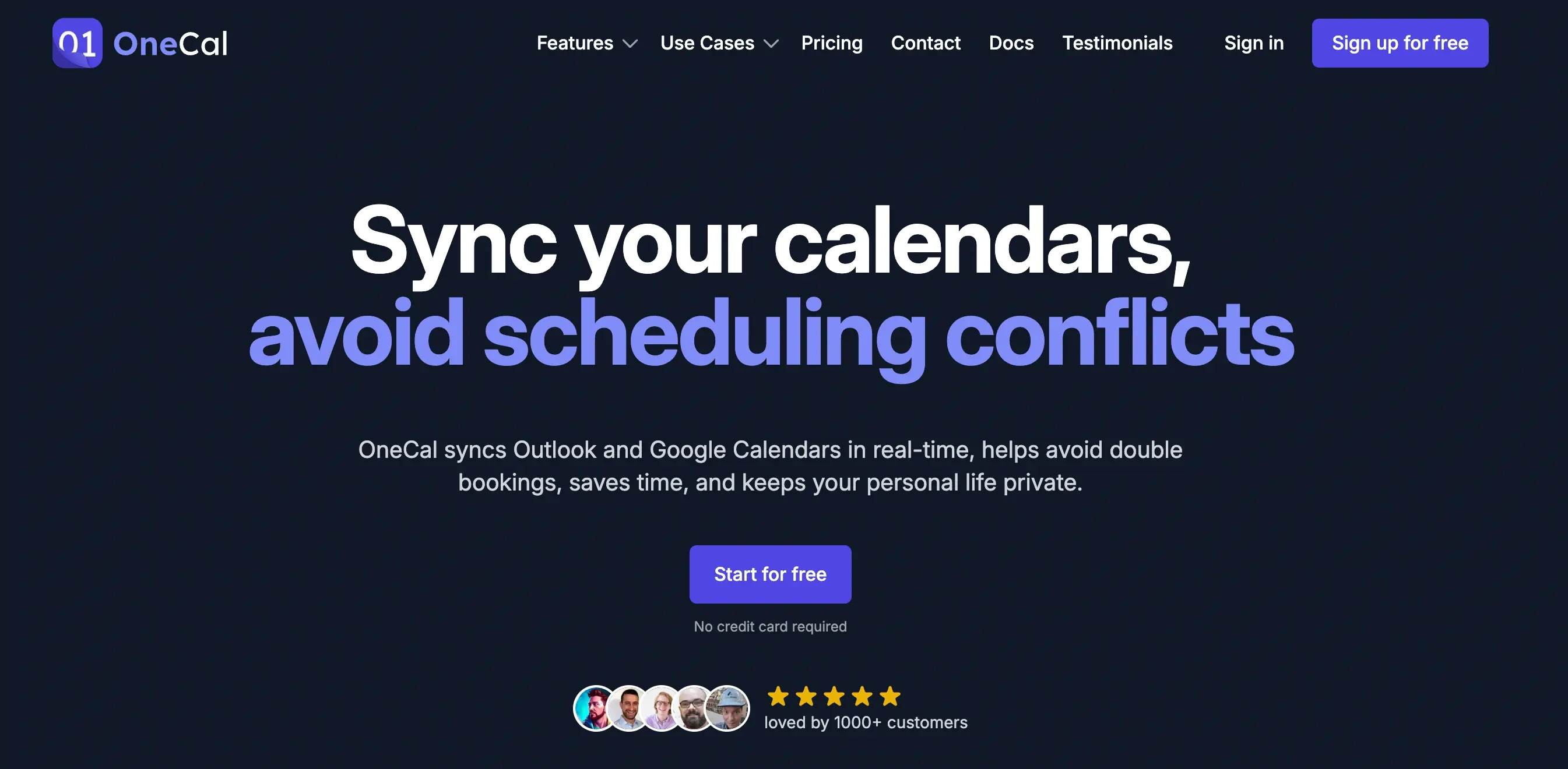
Doodle: Simplifying Group Scheduling
Scheduling can be a hassle, especially with groups. Doodle makes it easy. This tool offers efficient ways to find common meeting times. Doodle simplifies the process, making it a popular alternative to TidyCal.
Unique Features And Benefits
Doodle offers several unique features that enhance its functionality:
- Group Polls: Create polls to find the best meeting times.
- Calendar Sync: Integrate with Google Calendar, Outlook, and iCal.
- Custom Branding: Add your brand to invites and polls.
- Reminders: Automated email reminders for participants.
- Time Zone Support: Handles multiple time zones seamlessly.
These features help simplify group scheduling. They ensure everyone is on the same page and reduce back-and-forth emails.
Pricing And Affordability
Doodle offers different pricing plans:
| Plan | Cost | Features |
|---|---|---|
| Free | $0 | Basic scheduling, limited features |
| Pro | $6.95/month | Calendar sync, custom branding, no ads |
| Team | Custom pricing | Advanced team features, priority support |
Doodle’s pricing is flexible. It fits different needs and budgets, making it affordable for both individuals and teams.
Pros And Cons
Here are some pros and cons of using Doodle:
| Pros | Cons |
|---|---|
|
|
Ideal Use Cases
Doodle is ideal for several scenarios:
- Team Meetings: Find common times for team members.
- Client Calls: Schedule meetings with clients across different time zones.
- Event Planning: Coordinate dates for events and gatherings.
These use cases show Doodle’s flexibility. It adapts to various scheduling needs with ease.
Credit: www.onecal.io
Setmore: An Ideal Choice For Small Businesses
Setmore is a powerful and user-friendly scheduling tool. It is designed to help small businesses manage their appointments effectively. With its robust features and affordable pricing, Setmore stands out as an excellent alternative to TidyCal. Let’s explore the unique features, pricing, pros, and ideal use cases of Setmore.
Unique Features And Benefits
- Online Booking: Setmore offers an intuitive online booking system. Clients can schedule appointments anytime.
- Calendar Integrations: Seamlessly integrates with Google, Office 365, and iCal. This prevents double bookings.
- Payment Processing: Accept payments via Stripe and Square. This simplifies payment management.
- Staff Management: Manage multiple staff calendars. Assign tasks and view availability easily.
- Customizable Notifications: Send automated email and SMS reminders to clients. This reduces no-shows.
- Website Integration: Embed a booking widget on your website. This provides a seamless booking experience for clients.
Pricing And Affordability
| Plan | Price | Features |
|---|---|---|
| Free Plan | $0/month |
|
| Pro Plan | $9/user/month |
|
Pros And Cons
| Pros | Cons |
|---|---|
|
|
Ideal Use Cases
- Small Businesses: Manage client bookings and staff schedules effortlessly.
- Freelancers: Schedule client meetings and accept payments online.
- Service Providers: Offer online booking for services like haircuts, massages, or consultations.
- Educational Institutions: Schedule classes, meetings, and manage student appointments.
Youcanbook.me: Customizable And User-friendly
YouCanBook.me stands out as a reliable and user-friendly scheduling tool. It offers a range of customizable features that cater to various booking needs. Whether you’re a freelancer, small business owner, or part of a large team, this tool can streamline your scheduling process.
Unique Features And Benefits
YouCanBook.me offers several unique features that enhance its usability and efficiency:
- Customizable Booking Pages: Tailor your booking page to match your brand’s aesthetics.
- Real-Time Calendar Integrations: Sync with Google Calendar, iCal, and others to avoid double bookings.
- Automated Notifications: Send email and SMS reminders automatically to reduce no-shows.
- Timezone Adaptability: Automatically adjusts bookings to your client’s timezone.
- Payment Integrations: Accept payments via Stripe and PayPal during the booking process.
Pricing And Affordability
YouCanBook.me offers flexible pricing plans to suit different needs:
| Plan | Price | Features |
|---|---|---|
| Free Plan | $0/month | Basic features, limited customization, and branding |
| Pro Plan | $10/calendar/month | All features, full customization, no branding |
Pros And Cons
Understanding the pros and cons can help you determine if YouCanBook.me is right for you:
- Pros:
- Highly customizable booking pages
- Real-time integrations with major calendars
- Automated notifications reduce no-shows
- Timezone adaptability for international clients
- Cons:
- Pro plan can be costly for multiple calendars
- Limited features in the free plan
Ideal Use Cases
YouCanBook.me is versatile and can be used in various scenarios:
- Freelancers: Easily manage client meetings and consultations.
- Small Businesses: Schedule appointments with customers and vendors.
- Educational Institutions: Book parent-teacher meetings and student advising sessions.
- Healthcare Providers: Manage patient appointments and follow-ups.
Choosing The Right Scheduling Tool For Your Needs
Selecting the best scheduling tool can streamline your workflow and improve productivity. With so many options available, it’s important to choose one that fits your specific requirements. Below, we’ll explore the essential factors to consider and provide final recommendations for TidyCal alternatives.
Factors To Consider
When evaluating scheduling tools, focus on the features that matter most to you. Here are some key factors to consider:
- Customizability: Look for tools that offer customizable booking pages and different booking types.
- Calendar Integrations: Ensure the tool integrates with your existing calendars like Google, Office 365, or iCal.
- Payment Integrations: If you charge for sessions, choose a tool that supports payment gateways like Stripe and PayPal.
- Automation: Tools with auto-generated meeting URLs and custom email reminders can save time.
- Group Bookings: For workshops or group sessions, check if the tool supports group and package bookings.
- GDPR Compliance: Make sure the tool adheres to GDPR regulations if you operate within the EU.
- Pricing: Compare the cost of different tools and see if they offer a one-time payment option or a subscription model.
Final Recommendations
Here are some TidyCal alternatives based on various needs:
| Tool | Best For | Main Features | Pricing |
|---|---|---|---|
| Calendly | Ease of use | Simple UI, Google Calendar integration, Email reminders | Free plan, Premium plans from $8/month |
| Acuity Scheduling | Customization | Customizable booking pages, Payment integration, Client management | Plans start at $15/month |
| Book Like A Boss | Small businesses | Custom booking pages, Payment gateways, Group bookings | Plans start at $9/month |
| SimplyBook.me | Advanced features | Online booking system, Marketing tools, GDPR compliant | Free plan, Premium plans from $9.90/month |
Choosing the right scheduling tool depends on your specific needs and preferences. Evaluate the features, integrations, and pricing to make an informed decision.
Frequently Asked Questions
What Are The Top Tidycal Alternatives?
Some top Tidycal alternatives include Calendly, Doodle, Acuity Scheduling, and Setmore. These tools offer similar scheduling features with unique benefits.
Is Calendly Better Than Tidycal?
Calendly is a popular alternative to Tidycal. It provides more integrations and customization options, making it a strong contender.
What Features Do Doodle Offer?
Doodle offers easy scheduling, polls for meeting times, and calendar integration. It’s ideal for coordinating group meetings.
How Does Acuity Scheduling Compare To Tidycal?
Acuity Scheduling offers advanced appointment management, payment processing, and client management features. It’s a robust alternative to Tidycal.
Conclusion
Exploring TidyCal alternatives helps find the best scheduling tool for you. Each option offers unique features. Assess your needs and choose wisely. For customizable booking, real-time calendar sync, and payment integrations, consider TidyCal. Learn more about TidyCal here. Simplify your scheduling and enjoy more efficient meetings. Happy booking!