

Disclosure: this article contains an affiliate link. If you buy through it, we may earn a commission.
“What Is BetterClaw”?
BetterClaw is a workflow automation platform that builds and hosts no-code artificial intelligence agents in 60 seconds without servers, coding, or container setups. It lets you link third-party tools through 99+ one-click connectors, bring your own API keys, and manage automated actions through structured oversight settings.
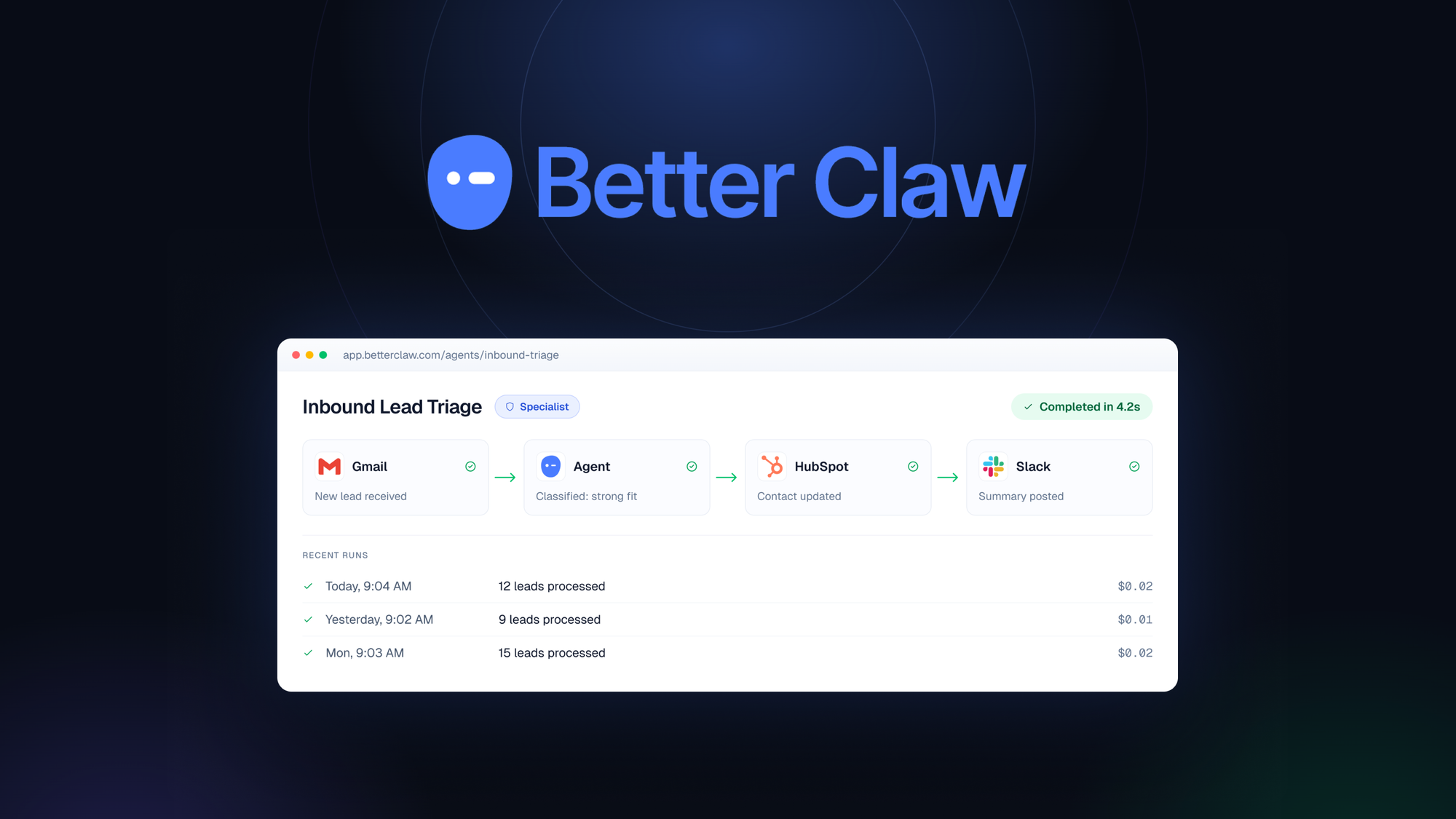
How Does BetterClaw Work?

BetterClaw is a no-code system designed to create, run, and oversee autonomous software helpers called artificial intelligence agents. Standard automation requires renting servers, configuring containers, writing scripts, and managing terminal commands. BetterClaw removes that infrastructure barrier by running each assistant on a dedicated agent instance inside a managed environment.
The software uses a bring-your-own-key (BYOK) model. Instead of paying marked-up rates for background processing, you enter your own model provider credentials, allowing your workspace to connect directly with leading artificial intelligence engines. The platform provides pre-built templates, an integrated skill installer, ad-free integration tools, and ready-made sequences called built-in workflows.
To handle scheduling, the platform contains an internal timer mechanism known as a cron job. The service sets an hourly cron minimum, meaning automated routines can trigger on an hourly schedule or longer intervals. Users interact with their configured assistants through an unlimited chat interface, making it possible to ask questions, check task histories, or issue direct operational instructions.
Key Features and What They Mean for Your Work
Setting up automated systems can feel complicated when tools rely on abstract technical terms. Examining each core function shows what the software delivers during everyday operational use.
Rapid No-Code Deployment
Starting an automated assistant typically involves writing custom integration logic. With this platform, you launch an operational helper in 60 seconds by picking a template and connecting services using one-click OAuth authentication.
Flexible Tool Connections
An automated assistant is only valuable if it interacts with the software your business already runs every day. The platform includes 99+ one-click connectors alongside an ad-free integration layer and a modular skill installer. Adding a skill functions much like installing an extension in a web browser, instantly granting your assistant new actions without requiring technical reconfiguration.
Dedicated Agent Instances
Shared computing environments can cause latency spikes or security concerns when multiple workloads compete for processing power. Each assistant created on this platform runs on its own dedicated agent instance. This isolated environment keeps your background tasks running independently of other users.
Native Workflow Automations
The service provides built-in workflows instead of forcing you to map out every step. These pre-assembled sequences handle recurring multi-step tasks across connected applications.
How Do BetterClaw Trust Levels and Safety Controls Work?
The platform uses three distinct permission tiers called trust levels—Intern, Specialist, and Lead—alongside approval queues and an emergency kill switch. An assistant can’t take unauthorized actions without meeting your specific oversight rules.
- Intern: The assistant handles basic research, drafts text, and organizes information, but it can’t run external actions or alter records on its own. Every proposed outside task enters a manual review holding area called an approval queue, waiting for your explicit confirmation before execution.
- Specialist: The assistant carries out approved, predictable tasks autonomously within strictly limited boundaries. Whenever a task falls outside standard operational limits, it automatically routes the request back to the human review queue.
- Lead: The assistant operates with full execution permissions, carrying out complex routines and connecting external tasks across authorized software integrations without requiring per-step verification.
The control panel includes a manual kill switch to prevent runaway tasks.
| Safety Feature | Operational Role | Ideal Use Case |
|---|---|---|
| Intern Level | Full human review before execution | Drafting client emails or staging database edits |
| Specialist Level | Autonomous execution inside bounded rules | Sorting routine files or generating scheduled summaries |
| Lead Level | Unrestricted execution across integrations | High-volume data routing across verified channels |
| Approval Queue | Central visual holding pen for pending tasks | Verifying external webhook payloads before sending |
| Kill Switch | Instant hard stop for all running processes | Stopping unexpected loops or freezing misconfigured tasks |
Choosing Your Operational Setup

When you configure automated software, you generally trade away simple all-in-one billing in exchange for deeper administrative control and lower raw operational expenses. Adopting a bring-your-own-key framework means you maintain direct commercial accounts with artificial intelligence model vendors instead of paying an intermediary platform markup.
Tip: Start every new automated routine on the Intern tier with active approval queues, and promote the task to Specialist only after confirming its outputs.
If your company handles sensitive customer records or runs high-volume data pipelines, keep your assistants set to Intern or Specialist modes so that human eyes confirm critical actions. If you manage simple, low-risk aggregation tasks—like organizing public news feeds or formatting internal spreadsheets—running routines on the Lead tier removes friction and saves human labor.
Task Created -> Intern Tier? -> Approval Queue -> Human Confirms -> Action Executes -> Lead Tier? -> Direct Execution -> Logged to Instance
Is BetterClaw Right for Your Business?
Deciding whether to adopt this platform depends on your technical comfort, your scheduling needs, and how you prefer to pay for cloud computing resources.
The platform isn’t suited for businesses that need continuous, second-by-second data streaming. Because the internal scheduler enforces an hourly cron minimum, you can’t use it to power instant event monitors or sub-minute data syncs. If your business rules require immediate, real-time message routing the moment a webhook triggers, a standard event-driven webhook pipeline will serve you better.
Before purchasing, check three specific factors that depend entirely on your own organization:
- Confirm that your external business software supports standard OAuth authorization or provides accessible integration endpoints.
- Review your model vendor accounts to make sure your API usage limits, billing tiers, and organization keys are active and funded.
- Examine your team workflows to identify whether an hourly execution cycle satisfies your operational timelines.
BetterClaw Compared to Traditional Automated Setups
Understanding the difference between custom server deployments, simple webhook routers, and dedicated agent environments helps clarify where this tool fits in your technical stack.
| System Characteristic | Manual Cloud Deployment | Standard Webhook Triggers | BetterClaw Workspace |
|---|---|---|---|
| Technical Barrier | High (Docker, code, servers) | Moderate (visual logic blocks) | Low (templates, no-code OAuth) |
| Setup Speed | Several hours to days | 15 to 30 minutes | Under 60 seconds |
| Oversight Controls | Custom code rules | Simple conditional filters | Intern, Specialist, Lead tiers |
| Emergency Stopping | Terminal commands or server stop | Turn off individual zaps | Global one-click kill switch |
| Minimum Cron Interval | Custom (down to seconds) | Varies by account plan | Hourly cron minimum |
| Computing Architecture | Shared or private cloud VPS | Multitenant web server | Dedicated agent instance |
What Can Ruin Your Workflow Automation Results?

Even practical tools can fail if implemented without proper operational planning. Avoiding these common setup mistakes will keep your automated systems running smoothly.
Why Are Automated Tasks Failing to Run on Time?
Automated routines won’t trigger if you design tasks expecting minute-by-minute execution. Because the platform enforces an hourly minimum, routines configured for continuous polling wait until the next interval before cycling. Plan your business processes around batched, hourly updates rather than expecting instant data synchronization.
Why Are Assistants Stalling on External Actions?
If an assistant stops executing tasks and leaves work half-finished, verify the active trust level assigned to that specific agent instance. An assistant configured on the Intern level can’t execute outside tasks autonomously; it routes every proposed action directly into your approval queue.
Why Are Requests Getting Rejected by Model Providers?
When an assistant encounters authentication errors during execution, check your external model API account balance rather than the agent instance itself. In a bring-your-own-key framework, the platform relies directly on your external provider keys. If your account runs out of credits or hits rate limits, the assistant can’t complete its reasoning steps.
Related guides
- Membership Site Automation: Boost Efficiency & Growth
- Marketing Automation Tools : Streamline Your Strategy
- Ai Content Automation: Revolutionize Your Workflow Today
Frequently Asked Questions
Can I run BetterClaw without any coding knowledge?
Yes. The entire platform uses a no-code design. You deploy pre-built templates and connect external applications using standard one-click OAuth authorization windows.
How does the bring your own key model work?
You paste your personal API keys from your chosen artificial intelligence provider into your account dashboard. The platform connects directly to those models to process assistant tasks. You pay your provider directly for computational tokens rather than paying marked-up processing fees through an intermediary.
Can assistants execute tasks completely on their own?
Yes, but only if you explicitly assign them to the Lead trust level. If an assistant is set to the Intern tier, it pauses every external task inside an approval queue until a human manually approves it, ensuring you maintain complete oversight over sensitive operations.
What is the fastest schedule interval for automated jobs?
The platform enforces an hourly cron minimum for scheduled background tasks. Scheduled recurring automations run at most once per hour, making it suited for batched routines rather than real-time polling.
What does the emergency kill switch do?
The kill switch acts as an immediate override that shuts down all active processes across your dedicated agent instance. If an assistant enters an unexpected loop or attempts an unintended sequence of tasks, toggling the switch freezes execution instantly without breaking underlying integration connections.
Does my assistant share server space with other users?
No, every assistant runs within its own dedicated agent instance. Your processes never compete for resources or share environment memory space with other platform accounts.
Conclusion
If you’re ready to reclaim your time, it’s a great idea to sign up for a free account today. You’ll find that setting up your first agent is surprisingly simple, and you won’t have to worry about the technical details. Give it a try and see how much easier your daily tasks become.