

Creating eye-catching graphics is crucial for any online presence. Pixelied offers a robust design suite with AI-powered features to make this task easier.
But what if Pixelied doesn’t meet your needs? Here, we’ll explore some excellent Pixelied alternatives. Finding the right design tool is essential for creating compelling visuals. While Pixelied is a powerful option, there are other tools out there that might better suit your specific requirements.
Maybe you need different features, a different price point, or a simpler interface. Whatever your reason, exploring alternatives can help you find the perfect fit for your design needs. Let’s dive into some of the best Pixelied alternatives that can help you create stunning graphics effortlessly.
Introduction To Pixelied And Its Purpose
Pixelied is a powerful design suite aimed at helping users create stunning graphics swiftly. Equipped with AI-powered tools, it simplifies the design process, making it accessible to everyone, from beginners to professionals.
What Is Pixelied?
Pixelied is a cloud-based design platform that leverages AI to generate and edit images. Users can create professional-quality graphics in minutes without needing advanced design skills.
| Main Features | Description |
|---|---|
| AI Image Generation | Generate four image variations from a text prompt. |
| Photo Editing | Edit images by adding text, stock photos, icons, and removing backgrounds. |
| AI Enhancement Tools | Enhance photo quality, sharpen images, and colorize photos. |
| Professional Filters and Effects | Apply effects such as sepia, vintage, brightness, blur, and contrast. |
| Product Mockups | Access over 2,000 editable mockup assets for various products. |
| Background Removal | Remove and replace image backgrounds with a single click. |
| Customization | Use customizable templates and an intuitive visual editor for personalized designs. |
| Multiple File Formats | Download high-resolution mockups in various file formats. |
Why Consider Alternatives To Pixelied?
While Pixelied offers many benefits, some users might seek alternatives for different reasons:
- Price: The one-time payment may not suit everyone’s budget.
- Feature Limits: There are monthly limits on AI image generation and background removal credits.
- Team Size: Larger teams may need more flexibility than the current plans offer.
- Specific Needs: Some users might need features that Pixelied doesn’t provide.
Exploring alternatives ensures that users find the best tool that meets their unique requirements and preferences.
Top 10 Pixelied Alternatives For Graphic Design
Pixelied is a robust AI-powered design suite that helps users create stunning graphics quickly. It offers features like AI image generation, photo editing, background removal, and customizable templates. But if you’re exploring other tools, here are the top 10 Pixelied alternatives for graphic design.
Overview Of Selection Criteria
We used specific criteria to select the best alternatives to Pixelied. These criteria ensure that the chosen tools match or exceed the capabilities of Pixelied. Here are the key factors considered:
- Ease of Use: The tool should be user-friendly and require no technical skills.
- Features: Essential features like photo editing, AI tools, and customizable templates.
- Cost-Effectiveness: Affordable pricing plans with good value for money.
- Quality of Output: High-quality graphics and mockups that meet professional standards.
- Customer Support: Reliable customer support for troubleshooting and assistance.
How Each Alternative Was Evaluated
We evaluated each alternative based on the above criteria. Here’s how we did it:
- User Reviews: We analyzed user reviews and ratings on various platforms.
- Feature Comparison: We compared the features of each tool with Pixelied.
- Pricing Analysis: We assessed the pricing plans and the value they offer.
- Quality Tests: We tested the quality of graphics and mockups produced by each tool.
- Customer Support: We checked the responsiveness and helpfulness of customer support teams.
Continue with other alternatives
| Alternative | Features | Pricing | Ease of Use | Quality of Output |
|---|---|---|---|---|
| Canva | Photo Editing, Templates, Background Removal | Free, $12.95/month | Very Easy | High |
| Crello | Animation, Templates, Stock Photos | Free, $7.99/month | Easy | High |
| Stencil | Templates, Icons, Stock Photos | Free, $9/month | Very Easy | High |
Each of these alternatives offers unique features that cater to different design needs. Whether you need advanced AI tools, cost-effective plans, or high-quality output, there’s an option for you.
Canva
Canva is a popular design tool known for its user-friendly interface and versatility. It offers a wide array of features that make graphic design accessible to everyone, from beginners to professionals. Let’s delve into some of the key features, pricing, pros and cons, and ideal users of Canva.
Key Features And Benefits
Canva provides a plethora of features that cater to various design needs. Here are some of the most notable ones:
- Drag-and-Drop Editor: Easy-to-use interface that allows quick customization of templates.
- Extensive Template Library: Thousands of customizable templates for social media, presentations, posters, and more.
- Stock Photos and Elements: Access to millions of photos, illustrations, and icons.
- Collaboration Tools: Share designs with team members and collaborate in real-time.
- Brand Kit: Store brand assets like logos, colors, and fonts for consistent branding.
These features help users create professional-quality designs efficiently, making Canva a go-to choice for many.
Pricing And Affordability
Canva offers flexible pricing plans to suit different needs and budgets. Here’s a breakdown:
| Plan | Price | Features |
|---|---|---|
| Free | $0 | Access to basic features and templates |
| Pro | $12.95/month | Access to all templates, premium elements, and advanced features |
| Enterprise | Custom Pricing | Advanced collaboration, brand controls, and dedicated support |
The free plan is great for individuals and small projects, while the Pro and Enterprise plans cater to more advanced needs.
Pros And Cons
Like any tool, Canva has its strengths and weaknesses. Here’s a quick overview:
- Pros:
- Intuitive interface
- Extensive template and element library
- Collaboration features
- Affordable pricing options
- Cons:
- Limited customization compared to advanced design software
- Some premium features require Pro or Enterprise plans
- File export options can be limited in the free plan
Ideal Users And Scenarios
Canva is ideal for various users and scenarios:
- Small Business Owners: Create marketing materials without hiring a designer.
- Social Media Managers: Produce engaging content quickly.
- Educators and Students: Design presentations and educational materials with ease.
- Event Planners: Develop invitations, posters, and other event-related graphics.
Overall, Canva is a versatile tool suitable for anyone in need of quick and professional design solutions.
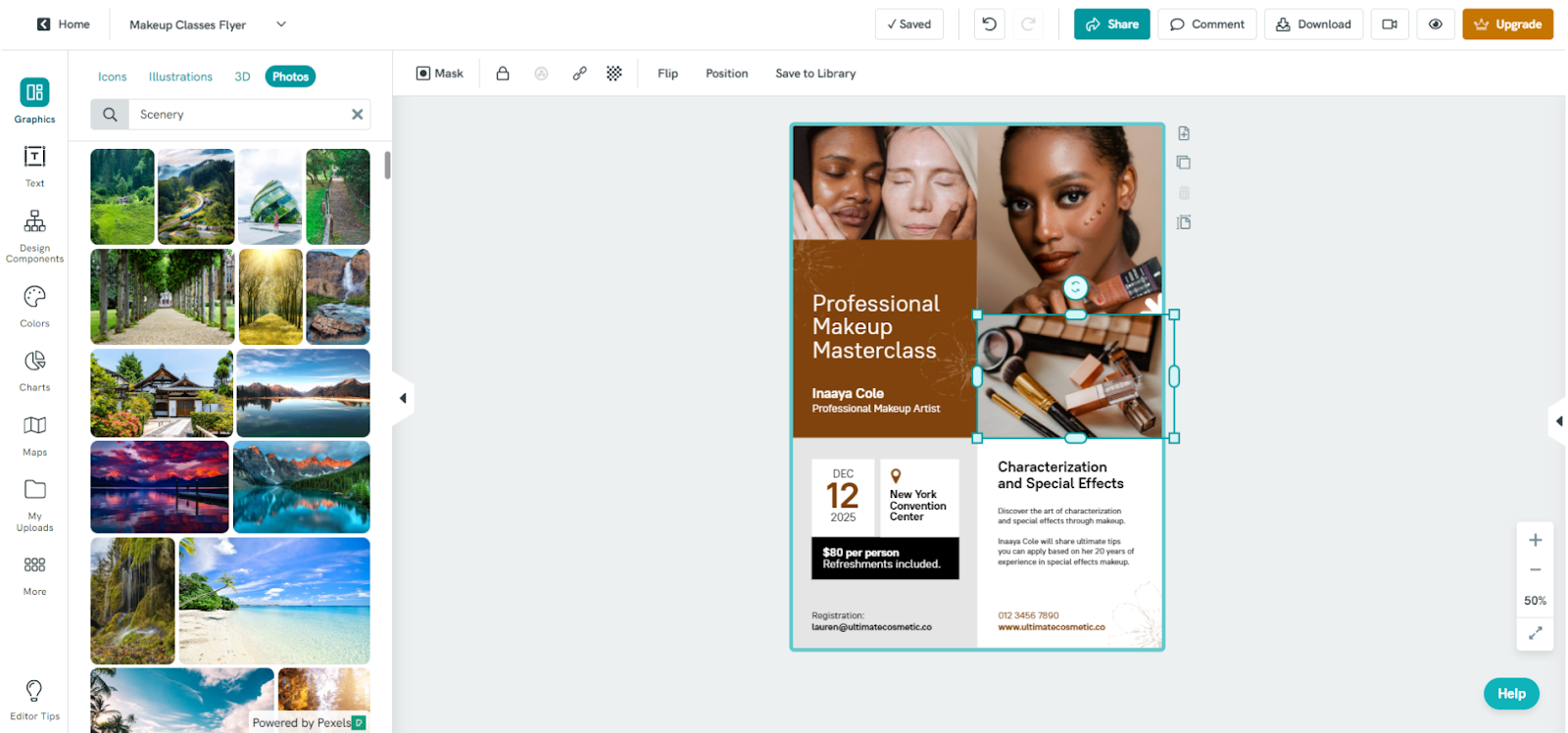
Credit: www.dochipo.com
Adobe Spark
Adobe Spark is a popular graphic design tool that allows users to create stunning visuals effortlessly. It is designed for individuals and businesses who need to produce high-quality graphics without advanced technical skills. Let’s dive into its key features, pricing, pros and cons, and identify the ideal users for Adobe Spark.
Key Features And Benefits
Adobe Spark offers a range of features that make it a powerful alternative to Pixelied:
- Templates: Access thousands of customizable templates for various design needs.
- Text and Graphics: Add and adjust text, photos, icons, and logos with ease.
- Branding: Maintain consistent branding with custom fonts, colors, and logos.
- Social Media Integration: Create content tailored for social media platforms.
- Collaboration: Share projects and collaborate with team members in real-time.
These features enable users to create professional-quality graphics quickly, enhancing productivity and ensuring a cohesive brand presence across all visual content.
Pricing And Affordability
Adobe Spark offers several pricing plans to suit different needs:
| Plan | Cost | Features |
|---|---|---|
| Free | $0/month | Basic templates, Adobe Spark watermark |
| Individual | $9.99/month | All templates, no watermark, custom branding |
| Team | $19.99/month | All individual features, team collaboration |
Adobe Spark’s pricing is accessible, with a free plan available for beginners. The individual and team plans offer advanced features at a reasonable cost.
Pros And Cons
Like any tool, Adobe Spark has its strengths and weaknesses:
Pros:
- Easy to use, no design skills needed
- Wide range of templates and customization options
- Seamless integration with other Adobe products
- Affordable pricing plans
Cons:
- Limited advanced design features
- Free plan includes Adobe Spark watermark
- Team collaboration only in higher-priced plans
Ideal Users And Scenarios
Adobe Spark is perfect for:
- Small Businesses: Create branded marketing materials easily.
- Social Media Managers: Design engaging social media content quickly.
- Educators and Students: Produce visually appealing presentations and projects.
- Freelancers: Develop professional graphics for clients without advanced tools.
Its user-friendly interface and comprehensive features make Adobe Spark a versatile tool for a variety of design needs.
Crello
Crello is an intuitive graphic design tool that offers a wide array of features. It’s perfect for creating stunning visuals quickly and easily. Whether you need social media graphics, presentations, or marketing materials, Crello has you covered.
Key Features And Benefits
Crello stands out with its extensive features that cater to both beginners and seasoned designers. Here are some of the key features:
- Template Library: Access thousands of customizable templates for various design needs.
- Animation Maker: Create animated graphics with ease.
- Design Tools: Utilize a wide range of tools such as text, shapes, icons, and more.
- Stock Photos and Videos: Integrate high-quality photos and videos into your designs.
- Collaboration: Share and collaborate on designs with team members.
With these features, Crello helps users create professional-quality graphics without the need for advanced design skills.
Pricing And Affordability
Crello offers flexible pricing plans to suit different needs and budgets:
| Plan | Price | Features |
|---|---|---|
| Free | $0 | 5 design downloads per month |
| Pro | $9.99/month | Unlimited design downloads, access to premium templates, animations, and more |
The free plan is suitable for occasional users, while the Pro plan offers great value for frequent designers.
Pros And Cons
Like any tool, Crello has its strengths and weaknesses:
Pros:
- Easy to use with a user-friendly interface
- Extensive library of templates and design elements
- Affordable pricing with a free plan option
- Supports both static and animated designs
Cons:
- Limited free plan features
- Occasional performance issues
Overall, Crello offers a robust design toolset, but it may not be perfect for everyone.
Ideal Users And Scenarios
Crello is ideal for:
- Social media managers needing quick and attractive graphics
- Small business owners creating marketing materials
- Freelancers offering design services
- Content creators needing visuals for blogs and videos
Whether you are a beginner or a professional, Crello can help you create beautiful designs efficiently. Its combination of ease of use, affordability, and extensive features makes it a great alternative to Pixelied.

Credit: pixelied.com
Snappa
Snappa is an easy-to-use graphic design tool tailored for non-designers. It helps users create visually appealing graphics for social media, blogs, and marketing materials quickly and efficiently.
Key Features And Benefits
- Drag-and-Drop Editor: The user-friendly interface allows for simple drag-and-drop functionality.
- Pre-made Templates: Access a wide range of professionally designed templates for various needs.
- Stock Photos and Graphics: Snappa offers a library of high-resolution stock images and graphics.
- Custom Fonts: Users can upload their own fonts and use over 200 available fonts.
- Social Media Scheduling: Directly share your designs to social media platforms.
Pricing And Affordability
| Plan | Price | Features |
|---|---|---|
| Free | $0 |
|
| Pro | $15/month |
|
Pros And Cons
| Pros | Cons |
|---|---|
|
|
Ideal Users And Scenarios
- Small Business Owners: Create marketing materials without needing a graphic designer.
- Bloggers: Design eye-catching blog graphics and social media posts.
- Social Media Managers: Quickly produce content for various platforms.
- Non-designers: Anyone who needs professional-looking graphics without complex tools.
Stencil
Stencil is a robust graphic design tool that helps users create eye-catching visuals effortlessly. It’s a great alternative for those seeking an easy-to-use platform with powerful features for designing graphics.
Key Features And Benefits
Stencil offers several key features that make it a standout design tool:
- Extensive Image Library: Access over 5 million royalty-free photos.
- Template Collection: Choose from hundreds of customizable templates.
- Icons and Graphics: Over 3 million icons and graphics available.
- Text Overlays: Add stylish text overlays with various fonts and styles.
- Social Media Integration: Share designs directly to social media platforms.
- Browser Extension: Use the browser extension for quick access and on-the-go design.
Pricing And Affordability
Stencil offers flexible pricing plans to suit different needs:
| Plan | Price | Features |
|---|---|---|
| Free Plan | $0 | 10 images per month, limited features |
| Pro Plan | $15/month | 50 images per month, access to premium features |
| Unlimited Plan | $20/month | Unlimited images, all premium features |
Pros And Cons
Understanding the pros and cons of Stencil can help you decide if it’s the right tool for you:
Pros:
- Easy to use with a user-friendly interface.
- Large library of images, icons, and templates.
- Affordable pricing plans.
- Direct social media sharing.
Cons:
- Limited features in the free plan.
- Advanced editing options are somewhat limited.
Ideal Users And Scenarios
Stencil is ideal for various users and scenarios:
- Small Business Owners: Create marketing materials without hiring a designer.
- Social Media Managers: Quickly design and share engaging social media posts.
- Bloggers: Enhance blog posts with visually appealing graphics.
- Freelancers: Design professional visuals for clients efficiently.
Visme
Visme is a powerful alternative to Pixelied. It offers a comprehensive suite of tools for creating presentations, infographics, reports, and other visual content. This cloud-based platform is designed to be user-friendly and versatile, making it ideal for both beginners and professionals.
Key Features And Benefits
Visme stands out with a range of features that cater to various design needs:
- Drag-and-Drop Editor: Create stunning visuals with an intuitive drag-and-drop editor.
- Templates: Access thousands of pre-designed templates for various projects.
- Customizable Charts and Graphs: Make data-driven visuals with customizable charts and graphs.
- Interactive Elements: Add interactive elements like animations, links, and pop-ups.
- Collaboration Tools: Collaborate with team members in real-time.
- Brand Kit: Maintain brand consistency with a dedicated brand kit.
- Multimedia Integration: Integrate videos, audio files, and other multimedia elements.
Pricing And Affordability
Visme offers flexible pricing plans suitable for various budgets:
| Plan | Price | Features |
|---|---|---|
| Basic | Free | Limited access to templates and features |
| Personal | $15/month | Full access to templates, 250 MB storage, export options |
| Business | $29/month | All Personal features, 3 GB storage, analytics, collaboration tools |
| Enterprise | Contact for pricing | Custom solutions, dedicated support, advanced security |
Pros And Cons
Understanding the pros and cons of Visme can help you make an informed decision:
| Pros | Cons |
|---|---|
| Easy to use | Free plan has limited features |
| Wide range of templates | Higher tiers can be expensive |
| Interactive elements | Learning curve for advanced features |
| Collaboration tools | Storage limits on lower plans |
Ideal Users And Scenarios
Visme is suitable for a variety of users and scenarios:
- Marketers: Create engaging content for campaigns.
- Educators: Design interactive presentations for students.
- Businesses: Develop professional reports and infographics.
- Nonprofits: Produce compelling visual stories to engage supporters.
Overall, Visme is an excellent choice for anyone needing a versatile design tool. It covers a wide range of visual content creation needs.
Fotor
Fotor is a popular online photo editing and graphic design tool. It’s known for its user-friendly interface and versatile features. You can create professional designs effortlessly using Fotor. Let’s explore its features, pricing, pros and cons, and ideal users.
Key Features And Benefits
- Photo Editing: Fotor offers a wide range of photo editing tools. You can adjust brightness, contrast, and saturation easily.
- Design Templates: Choose from thousands of customizable templates. Create social media posts, banners, and flyers quickly.
- Collage Maker: Create beautiful photo collages with various templates and layouts.
- Beauty Retouching: Enhance portraits with tools for skin smoothing, wrinkle removal, and red-eye correction.
- HDR Effects: Use HDR technology to merge different exposure levels, producing stunning images.
- Cloud Storage: Store your designs and photos in the cloud for easy access and sharing.
Pricing And Affordability
| Plan | Price | Features |
|---|---|---|
| Free | $0 | Basic editing tools, limited templates, and storage |
| Pro | $8.99/month | Advanced editing tools, premium templates, no ads, and more storage |
| Pro+ | $19.99/month | All Pro features, plus advanced HDR effects, unlimited access to all features |
Pros And Cons
- Pros:
- Easy to use interface
- Wide range of editing tools
- Affordable pricing plans
- Cloud storage
- Cons:
- Free version has limited features
- Some advanced tools available only in Pro+ plan
Ideal Users And Scenarios
Fotor is perfect for beginners and casual users. It’s ideal for those who want to create social media graphics, photo collages, and basic photo edits. Professional photographers may also find value in its HDR effects and beauty retouching tools.
Credit: www.dochipo.com
Piktochart
Piktochart is an online design tool that enables users to create beautiful infographics, presentations, reports, and more. It’s a powerful alternative to Pixelied for those seeking simplicity and versatility in their design endeavors. With its user-friendly interface and rich feature set, Piktochart makes designing accessible to everyone, regardless of technical skill level.
Key Features And Benefits
- Drag-and-Drop Editor: Easily create designs with a simple drag-and-drop interface.
- Customizable Templates: Access a wide range of professionally designed templates.
- Data Visualization: Create charts, maps, and graphs to visualize data effectively.
- Collaboration Tools: Collaborate with team members in real-time.
- High-Quality Exports: Export designs in high resolution for various uses.
With Piktochart, users can craft visually appealing content quickly and efficiently. The extensive template library and intuitive tools streamline the design process, making it easy to produce professional-quality visuals.
Pricing And Affordability
| Plan | Price | Features |
|---|---|---|
| Free Plan | $0/month | Basic features, limited templates, and watermark on exports |
| Pro Plan | $24.17/month (billed annually) | Unlimited templates, high-resolution exports, and no watermark |
| Team Plan | Custom Pricing | All Pro features, team collaboration, and priority support |
Piktochart offers a free plan for those just starting, making it an affordable choice. The Pro Plan provides access to all features at a reasonable cost, while the Team Plan is ideal for businesses needing collaborative tools.
Pros And Cons
- Pros:
- User-friendly interface
- Wide range of templates
- Effective data visualization tools
- Real-time collaboration
- Cons:
- Free plan has limited features
- Pro plan can be pricey for individual users
Piktochart’s pros include its ease of use and extensive template library. Its cons mainly revolve around the limitations of the free plan and the cost of the Pro plan for solo users.
Ideal Users And Scenarios
- Businesses: Create professional reports and presentations.
- Marketers: Design engaging infographics and social media graphics.
- Educators: Develop informative and visually appealing educational materials.
- Nonprofits: Produce compelling visual content for campaigns and reports.
Piktochart is perfect for businesses, marketers, educators, and nonprofits. It helps create visually appealing content that communicates effectively.
Designbold
DesignBold is a powerful online graphic design tool that allows users to create stunning visuals quickly and easily. It offers a wide range of features that cater to both beginners and advanced designers. Let’s explore its key features, pricing, pros and cons, and ideal users.
Key Features And Benefits
- Drag-and-Drop Interface: Intuitive and easy to use, suitable for all skill levels.
- Extensive Template Library: Over 10,000 customizable templates for various design needs.
- High-Quality Stock Images: Access to millions of free stock photos and graphics.
- Customizable Fonts and Colors: Personalize designs with a vast selection of fonts and color palettes.
- Collaboration Tools: Share projects with team members for real-time collaboration and feedback.
- Export Options: Save designs in multiple formats including PNG, JPG, PDF, and more.
Pricing And Affordability
| Plan | Price | Features |
|---|---|---|
| Free Plan | $0 | Basic design tools, limited templates, and stock images. |
| Pro Plan | $12.99/month | Access to all templates, premium stock images, and advanced design features. |
| Team Plan | $29.99/month | All Pro features, team collaboration tools, and priority support. |
Pros And Cons
- Pros:
- Easy to use drag-and-drop interface.
- Wide range of customizable templates.
- Access to millions of high-quality stock images.
- Affordable pricing options.
- Cons:
- Some advanced features limited to Pro and Team plans.
- Occasional lag with large projects.
Ideal Users And Scenarios
- Individuals and freelancers looking for an affordable design tool.
- Small businesses and startups needing quick and professional visuals.
- Marketing teams collaborating on projects and campaigns.
- Students and educators creating presentations and learning materials.
Picmonkey
PicMonkey is a versatile online design tool that enables users to create beautiful graphics, edit photos, and design marketing materials with ease. Whether you need to create social media posts, flyers, or business cards, PicMonkey offers a range of tools and features to help you accomplish your design goals.
Key Features And Benefits
- Photo Editing Tools: PicMonkey offers advanced photo editing tools, including cropping, resizing, and retouching.
- Graphic Design: Create stunning graphics with customizable templates, text tools, and vector graphics.
- Collage Maker: Easily create photo collages with pre-made layouts and design options.
- Cloud Storage: Save and access your designs from anywhere with PicMonkey’s cloud storage.
- Collaboration: Share your designs with others and collaborate in real-time.
Pricing And Affordability
| Plan | Price | Features |
|---|---|---|
| Basic | $7.99/month | Access to basic editing tools, templates, and cloud storage. |
| Pro | $12.99/month | All Basic features plus advanced editing tools and unlimited cloud storage. |
| Team | $33.99/month | All Pro features plus team collaboration and administration tools. |
Pros And Cons
Pros:
- User-friendly interface.
- Wide range of templates and design tools.
- Real-time collaboration features.
- Cloud storage for easy access.
Cons:
- Limited features in the Basic plan.
- Some advanced tools require a Pro subscription.
- Higher cost for team plans.
Ideal Users And Scenarios
- Social Media Managers: Create eye-catching posts and stories quickly.
- Small Business Owners: Design marketing materials without hiring a professional designer.
- Freelancers: Produce professional graphics for clients with ease.
- Students: Create presentations and projects with visually appealing designs.
PicMonkey offers a range of tools to help users create professional and engaging designs. Its user-friendly interface, cloud storage, and collaboration features make it a great choice for both individuals and teams.
Frequently Asked Questions
What Are The Best Pixelied Alternatives?
Some of the best Pixelied alternatives include Canva, Crello, Stencil, and Visme. These tools offer similar features for graphic design and are user-friendly.
Is Canva A Good Alternative To Pixelied?
Yes, Canva is a popular alternative to Pixelied. It offers numerous design templates, an intuitive interface, and a vast library of resources.
How Does Crello Compare To Pixelied?
Crello is a strong competitor to Pixelied. It provides a variety of templates, easy-to-use tools, and extensive customization options for graphic design.
Why Choose Stencil Over Pixelied?
Stencil is a great choice over Pixelied for its simplicity and speed. It also offers a vast collection of stock images and templates.
Conclusion
Exploring Pixelied alternatives can lead you to the perfect design tool. Each option offers unique features suited for various needs. Consider your specific requirements and budget. For an all-in-one solution, Pixelied is a strong contender. Its AI-powered tools and user-friendly interface simplify graphic design. Check it out here. Happy designing!